
Notion AI vs ChatGPT in 2026: Which Fits Lead Management?
Notion AI vs ChatGPT for leads. You can't buy Notion AI alone; it needs Business at $20. ChatGPT starts free. Verified 2026 pricing and 3 ways to connect them.
AI at work stopped being a novelty this year. Gallup surveyed 23,717 US employees in early 2026 and found half of employed American adults now use AI in their role, with 13% using it daily.
So "which one" has stopped being a hypothetical. If you run your pipeline in Notion, the question usually arrives as a budget question: you're already paying for one, and you're wondering whether the other is redundant.
The honest answer is more interesting than a winner. These two tools aren't really competing for the same job, the same budget line, or the same data. Once you see why, the decision gets easy.
Every price below was read off the vendors' own pages this month. That matters more than usual here, because both companies repackaged recently and most comparisons are still quoting the old shape.
What Notion AI vs ChatGPT Actually Compares
This matchup is genuinely fair on one axis and fake on three. Worth separating them before anyone builds a feature table.
It's fair on the moment of use. Both are LLM assistants you reach for at the same instant: draft this, summarize that, turn these rough notes into something coherent. Plenty of people pay for both.
It's fake on data access. Notion AI is a feature inside a workspace it can already read, while ChatGPT is a general assistant that by default knows nothing about your workspace. That isn't a missing feature, it's a different architecture.
It's fake on the budget line too, because you cannot buy Notion AI by itself and you can buy ChatGPT alone from $0.
And it's fake on lead management specifically. Neither is a CRM feature. Both are useful around a lead record; neither creates one.
So the useful questions aren't "which wins." They're: do I need both, can they talk to each other, and which one should touch my CRM data.
What Notion AI Is
Notion's pitch is a team that never sleeps rather than a chatbot.

Notion's AI product page, notion.com/product/ai (July 2026).
The surface is Agents, Enterprise Search, AI Meeting Notes, and admin controls. The thing underneath that matters: it reads the workspace you already have. Ask it about a deal and it can look at the deal.
That proximity is the entire argument for it, and it's why the comparison isn't symmetric.
What ChatGPT Is
ChatGPT's surface is the opposite of specific.

ChatGPT, chatgpt.com (July 2026).
A box that says "Ask anything," and it means it. Web browsing, code execution, image generation, voice, custom GPTs, memory across chats. It's the more capable general tool by a distance.
It also has no idea what's in your Notion database unless you tell it, which is the trade.
The Pricing Comparison Nobody Makes Correctly
Here's where almost every article goes wrong, including ones published last month.

Notion's pricing page, notion.com/pricing (July 2026).

ChatGPT's pricing page, openai.com/chatgpt/pricing (July 2026).
Notion AI | ChatGPT | |
|---|---|---|
Free | Limited trial only | Free tier, real |
Cheapest AI access | Business $20/seat/mo | Go $8/mo |
Mid | (no separate AI tier) | Plus $20/mo |
Top | Enterprise, custom | Pro from $100/mo |
Team | Included in Business | Business $20/user/mo annual ($25 monthly) |
Buy AI on its own? | No | Yes |
Three corrections worth making loudly.
Notion AI is not on Plus. Since May 2025 it hasn't been purchasable as a standalone add-on on any plan, and it's bundled into Business and above only, with Free and Plus getting a limited trial.
We found a comparison published in June 2026 stating Notion AI comes with Plus at $10. It does not, and anyone who upgrades to Plus expecting AI will be disappointed.
ChatGPT Pro is $100, not $200. The $200 figure was the December 2024 launch price and it's still being quoted; live today it starts at $100. And the team tier is called Business now, not Team, at $20 a user annually.
So "both are $20" is true and useless. Twenty dollars of Notion buys a Business workspace seat that happens to include AI. Twenty dollars of ChatGPT buys the AI and nothing else. One of those is a workspace bill; the other is an AI bill.
Notion AI vs ChatGPT Differences That Matter
Line the Notion AI features vs ChatGPT ones up and the split is clean, and mostly architectural rather than competitive.
Capability | Notion AI | ChatGPT |
|---|---|---|
Reads your workspace natively | Yes | No, unless connected |
Autofills database properties | Yes | No |
AI meeting notes | Yes | No |
Cites sources from your own docs | Yes | Only from what you give it |
Browses the live web | No | Yes |
Runs code | No | Yes |
Generates images | No | Yes |
Custom assistants | Custom Agents (metered) | Custom GPTs (Plus+) |
Works without another subscription | No | Yes |
Two footnotes that matter more than the rows.
Notion's AI Connectors do let Notion AI search outside Notion, across Slack, Google Drive, Teams, Jira, GitHub, Linear, Gmail, Outlook, and Google Calendar. They require Business or Enterprise, with Notion Mail and Notion Calendar connectors the only free exceptions. They reach connected apps, never the open web.
Custom Agents now bill from the first run. They're metered at $10 per 1,000 Notion credits on Business and Enterprise, and the free-to-try period ended in May 2026. If you read otherwise, you're reading something written before then.
Notion AI vs ChatGPT Integration: Can They Talk?
This is the best-kept secret in the matchup, and the notion ai vs chatgpt integration question has three answers, not one.
Route 1: Notion's Official MCP Server
Notion publishes an MCP server and names ChatGPT as a supported client outright. It's free, uses OAuth, and gives full read and write access, in Notion's words letting AI tools "read and write to your Notion pages just like you can."
The catch is on ChatGPT's side: connecting custom apps requires Plus or above. On Free or Go you can't add it.
Route 2: ChatGPT's Built-In Notion App
ChatGPT's app directory has a Notion app. It's the easy one, and it's deliberately limited: read-only, file search only, with no write or modify actions.
There's a wrinkle worth knowing. OpenAI's own documentation says the directory app no longer supports sync. Existing connections keep working; new users get file search only. So if a guide promises richer behavior from the built-in app, check its date.
Route 3: Zapier, Make, or a Custom GPT Action
The flexible, more laborious path. Zapier's free tier covers 100 tasks a month on two-step Zaps, with Professional from $19.99. Make's free tier gives 1,000 operations, with Core at $12. Both bridge to Notion's API with full read and write, and you build the logic yourself.
The honest summary: ChatGPT can't see your Notion workspace out of the box, but three setups of increasing effort will get it there. Most people asking this question want route 1 or 2, and most articles conflate them.
What Each One Actually Does for Leads
Narrow this to a pipeline and the picture sharpens.
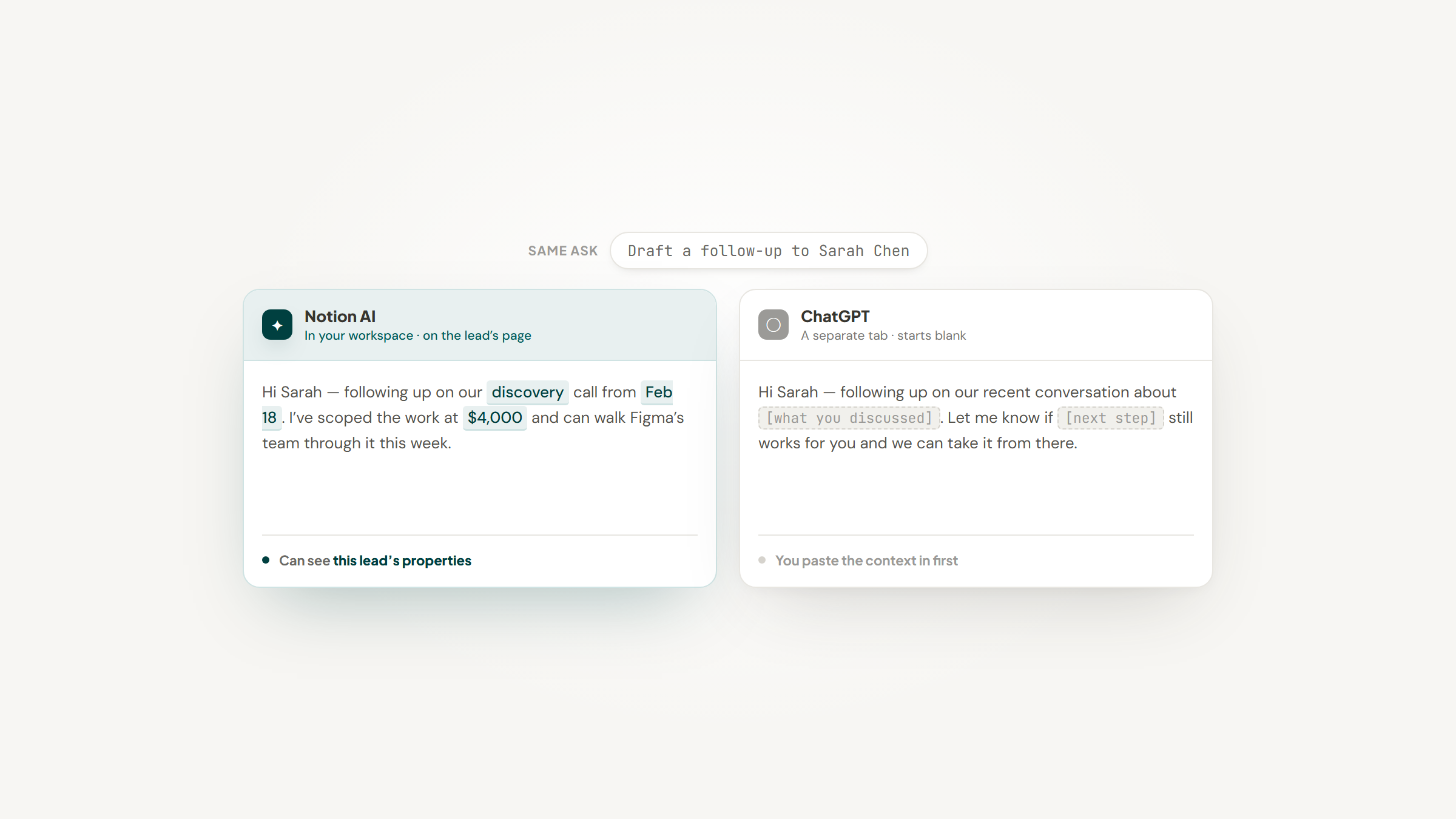
Notion AI on a lead record can autofill a property from the page's content, summarize a long call note into two lines, draft a follow-up using context already in the database, and answer "which deals went quiet this month" by reading the database itself.
ChatGPT on the same lead can research the prospect's company, draft sharper outreach, rewrite your proposal, and reason about strategy. But it needs the context handed to it, unless you've wired up route 1 or 2.
There's a real principle underneath this rather than just a preference. AI answers are more reliable when they're grounded in documents the model can actually read, which is what Google DeepMind's FACTS Grounding benchmark was built to measure.
Notion AI is grounded in your workspace by default. ChatGPT is grounded in whatever you pasted, which on a busy day is often not enough.
What Reddit Says
The notion ai vs chatgpt reddit threads are more useful than the blogs, mostly because nobody there is trying to pick a winner.
The sharpest take we found came from someone who'd used both properly and concluded they were complementary rather than replaceable. The built-in AI shines when you're already inside a workspace and want a quick summary or rewrite, because it saves the context switch. A standalone chat tool is better for open-ended thinking and longer back-and-forth.
Their conclusion is the line worth keeping: it ended up being "less about raw capability and more about where my work already lived at that moment."
Another user in the same thread had already found route 2, pointing out that the Notion app inside ChatGPT lets it see your Notion data and answer questions about it, and adding a blunt verdict: "notion AI is only useful for making databases more quickly."
Both are anecdotal, and the second slightly overstates what the built-in app does (it's read-only, per OpenAI's own docs). But the pattern holds across every thread we read: people who try to replace one with the other usually end up keeping both.
Neither One Captures a Lead
Here's the gap both tools share, and it's the reason your pipeline still feels manual even after you're paying for AI.
Neither Notion AI nor ChatGPT puts a lead in your database. Notion AI reacts to records that exist. ChatGPT doesn't know your database exists. The moment where you're reading a company's site, deciding they're worth tracking, and typing their name into a row: no AI subscription touches that.
Lead to Notion is the unglamorous tool for that unglamorous step. No model, no prompt: a side panel, two fields, and the record exists. It also does the one thing both AIs skip, which is checking whether that company is already in your database before it writes a second copy.
It's free, open source, and runs entirely on your own machine. Worth knowing before you try it: no Web Store listing yet, so it installs as an unpacked folder via Developer mode, and a few database fields need mapping first. The setup guide has the steps.
It isn't AI and doesn't pretend to be. It just means that when your AI does look at the database, there's something in it.
Do You Need Both?
For most people reading this, yes, and the reasoning is simpler than the feature tables suggest.
Your situation | The answer |
|---|---|
Already on Notion Business | You have Notion AI. Add ChatGPT only if you need web, code, or images |
On Notion Free or Plus | You don't have Notion AI. $8 ChatGPT Go is far cheaper than a $20 Business upgrade |
Want AI to read your workspace | Notion AI, or ChatGPT plus Notion's MCP server |
Want research, code, images, voice | ChatGPT. Notion AI does none of these |
One tool only, small budget | ChatGPT. It works without another subscription |
One tool only, live in Notion all day | Notion Business. The proximity is the point |
The row worth pausing on is the second. If you're on Plus and want AI, upgrading to Business costs you $10 more per seat every month, forever. ChatGPT Go is $8 total. Unless you specifically need AI that reads your workspace, the cheaper answer is the other vendor's.
How to Decide in Ten Minutes
Run ChatGPT vs Notion AI past your own week rather than a feature table. Six questions, and the first two usually settle it.
- Open your Notion billing page and check whether you're on Business. If you are, you already own Notion AI.
- If you're on Free or Plus, accept that you do not have Notion AI, and price the $10-per-seat upgrade against $8 for ChatGPT Go.
- Ask whether you need the AI to answer questions about your own database, or about the world.
- Count how many times last week you pasted your own content into a chatbot. That's the tax Notion AI removes.
- Count how many times you needed the live web, a chart from raw numbers, or an image. That's the tax Notion AI cannot remove.
- Decide whether anyone else on the team benefits. Notion AI is bought per workspace seat; ChatGPT is bought per person.
Most people who work through that list end up keeping both and stopping the upgrade they were about to make.
Which Is Better
Asking which is better is asking the wrong question, and the notion ai vs chatgpt comparison which is better framing is exactly why so much content on this reads hollow: it forces a winner between tools that aren't in the same race.
The better question is what you want AI to be close to. If you want it close to your data, Notion AI wins by construction, and no amount of ChatGPT capability changes that without setup. If you want it close to the open world, ChatGPT wins the same way.
Both being $20 is a coincidence, not a comparison. Notion's $20 is a workspace bill with AI attached; ChatGPT's is an AI bill.
So price the thing you actually need. If your workspace is already Notion Business, you've bought Notion AI whether you use it or not, and ChatGPT's free tier fills the gaps. If you're on Plus, don't upgrade for AI; buy ChatGPT and connect it if you want it reading your pages.
And whichever you land on, the lead still has to get into the database first. Download our extension if you'd rather not type it. More on our blog, including what Notion automations can and can't reach, and how Notion vs Monday and Notion vs ClickUp compare if the CRM itself is the real question. If your leads live in HubSpot, the Notion HubSpot integration is its own puzzle.
Frequently asked questions
No, and this is the most common error in the Notion AI vs ChatGPT comparison. Notion AI has not been purchasable as a standalone add-on on any plan since May 2025, and it's bundled into Business ($20 per seat per month annually) and Enterprise only. Free and Plus users get a limited trial and nothing more. Comparisons published as recently as June 2026 still claim Plus includes it. Check Notion's own pricing page before you upgrade.
Turn Notion into your CRM
Lead to Notion is a free Chrome extension. Save leads to your Notion database in one click, add notes, and track your pipeline. No account, no server.