
Notion for Startups in 2026: How to Manage Leads Simply and Fast
Notion for Startups gives up to 6 months free of Business, worth $12,000, not the $6,000 you'll read elsewhere. Plus the real kanban build and its limits.
Most founders don't choose Notion. They already have it, they've written the wiki and the roadmap in it, and one day they realize the leads are living in it too, badly, in a table someone made in a hurry.
That's the moment this guide is for. Not "should you use Notion," but "you already are, so how do you make the lead side of it work without spending a weekend on it."
Three things get in the way, and this covers all of them: the program terms almost everyone gets wrong, the pipeline mechanics nobody spells out, and the limits you should know before you commit.
What Notion for Startups Actually Gives You
The program is real, current, and more generous than most write-ups suggest. Here are the live terms, taken from Notion's own pages this month.
Tier | You get | You need |
|---|---|---|
Partner-affiliated | 6 months free of Business, including Notion AI | Affiliation with one of Notion's 1,000+ VC/accelerator partners |
Standard | 3 months free of Business | Public business website, company-domain email, under 100 employees, non-paying |
Small | 1 month free of Business | Under 10 employees, service business, or an application they can't verify |
Notion's own arithmetic on what that's worth: the Business plan is $20 per member paid annually, so the offer runs to "a maximum of $12,000 for 100 employees."
The partner list is broad, and worth checking before you assume you don't qualify: AWS Activate, Stripe Atlas, HubSpot, Slack, Shopify, and JP Morgan are all in it, among more than a thousand others. If you went through an accelerator or took money from a fund of any size, you plausibly have the 6-month tier.
And there's no funding requirement at all. Eligibility turns on employee count, a real business presence, and not already paying. You do not have to be VC-backed. Applications go through notion.com/startups-apply.
The $6,000 Number You'll See Everywhere Is Wrong
If you've read anything about the notion for startups program, you've probably seen "up to $6,000" and "6 months of Notion Plus." Both were true. Neither is now.
The program has moved four times. It launched in 2019 as a discount for partner-affiliated startups. It opened to everyone in 2021. In 2023 it relaunched as up to 6 months free of Plus, worth a maximum of $6,000. And it now runs on Business, worth up to $12,000.
The stale version is everywhere, including in posts by Notion's own partners. One partner write-up still ranking today states the criteria as "under 50 employees, under $10 million in funding, worth $6,000." Against Notion's live page, all three of those are wrong: it's under 100 employees, there's no funding cap, and it's $12,000 of Business.
The lesson generalizes past this program. On anything Notion-related, check the vendor's own help center before you trust a recap, because this space moves faster than the content about it.
What "Notion Startup OS" Really Is
Search startup os notion and you'll find two completely different things wearing the same name.
The official one is free. "Notion's startup OS" is a template collection Notion publishes itself: eight templates covering a Sales CRM, a Simple Roadmap, Company home, Wiki, Fundraising tracker, Pitch deck, Data room, and Investor update. Notion says it's built from "learnings from hundreds of startups" that raised from Y Combinator, First Round, Sequoia, and Index.
It is not a plan, a product, or a tier. It's a bundle of pages you duplicate into whatever workspace you already have, on whatever plan you're already on. There's nothing to buy.
Two things muddy this. Notion also runs a separate bundle called Startup in a Box, with an overlapping but different template list, so the two get conflated constantly. And third-party sellers market their own unrelated bundles under the "Startup OS" name for $29 to $99 on Gumroad and template marketplaces.
Those paid bundles may be good. They are not Notion's, and you shouldn't pay for one thinking it's the official collection.
Notion Free for Startups: What $0 Actually Covers
Before you apply for anything, check whether you need to. Notion free for startups goes further than founders expect.
The free plan has no cap on database records. You can put 5,000 leads in it. What it limits instead: 5MB file uploads, 7 days of page history, 10 guests, and block limits once you're more than one member. Notion AI is a limited trial only.
Paid tiers run Plus at $10 per seat monthly billed annually ($12 monthly) and Business at $20 ($24). The one thing worth knowing before you upgrade: database automations unlock at Plus, and Business does not add more of them. Notion's own comparison says Business automations are "same as Plus." Business buys you bundled AI, not automation power.
So a two-founder company tracking leads can run on Free indefinitely. The reason to take the startup offer isn't the pipeline; it's AI and the team features.
Using Notion as CRM for Startups
Here's the part the template-sellers skip. Using Notion as CRM for startups is mostly one decision made well: what a lead record contains, decided once, before you add fifty of them.
Build the Database First
Seven properties, and the order matters less than the restraint.
- Create a database with a title property for the lead or company name, and don't rename it later.
- Add a Status or Select property called Deal Stage. This is the spine; everything else hangs off it.
- Add a Number property for deal value, so you can total it. Not text.
- Add a URL property for the company website, which doubles as your dedupe key.
- Add a Date property for last contacted, and a Select for lead source.
- Add a Multi-select for the service or product, so you can filter by what they want.
- Write everything else in the page body underneath, date-stamped, so the record reads as a running history.
Step 7 is the one that makes Notion worth using over a spreadsheet. The lead isn't a row; it's a document about a person, with the row on top. That's the whole advantage, and most templates bury it.
Resist the urge to add fifteen properties. You can add a property in ten seconds later; you cannot easily un-design a schema after fifty records are in it.
Building the Kanban Sales Pipeline
The notion as crm for startups kanban sales pipeline everyone wants is four clicks once the database exists.
Add a Board view, group it by your Deal Stage property, and each card becomes a lead. Drag it between columns and the property updates. That's it, and it's genuinely good.
Name the stages after your actual process, not a template's. The common shape across every source we read is Lead, Qualified, Proposal, Negotiation, then Closed-Won and Closed-Lost. If your process has a stage that doesn't fit that, keep yours; the board doesn't care.
Two touches that make it usable rather than decorative. Set the board to hide Closed-Lost by default, or the column grows forever and you stop looking. And put deal value on the card face, so the board tells you something at a glance instead of just where things are.
What Notion Won't Do for Your Pipeline
This is where honest guidance is worth more than another template link. Notion's limits here are real and they're structural.
What you want | Notion's answer |
|---|---|
Weighted revenue forecast | No. Hand-build formula properties, or go without |
Reporting dashboards | Basic charts on paid plans; nothing like a CRM's |
Duplicate detection | None. Nothing stops you saving the same company twice |
Email tracking or sending | No. Automations can send only via a linked Gmail account |
Automation on Free | Buttons only. Custom automations start at Plus |
Capture from a webpage | Nothing native can do this. Every lead is typed by hand |
The duplicate one bites hardest and earliest. There's no native check at all, so the same prospect enters twice under slightly different names, and you find out when two people email them in the same week.
None of this means don't use Notion. It means know which of these you'll feel first, and at what size.
Notion Team Collaboration Benefits for Startups
The lead pipeline isn't why Notion is worth it. The notion team collaboration benefits for startups are, and they're the reason the CRM ends up there in the first place.
The most useful account we found was a six-person, fully remote YC startup documenting their setup: eight separate wikis covering HR, product and business, engineering, design, customer success, sales, growth, and operations, plus private and shared sections. Their kanban product roadmap replaced Trello. Their engineering wiki replaced GitHub Wiki.
What they kept out of Notion is as instructive as what they moved in: legal documents, large complex tables, presentations, surveys, and static assets stayed in Google Drive. That's a mature line to draw.
Their stated reason for the whole thing wasn't features. It was that Notion made them want to write documentation instead of dreading it. That's anecdotal and it's from a 2020 post, but the structural lesson holds, and it's why the leads end up in Notion too: it's where everyone already is.
The Trap Every Founder Hits
There's a failure mode specific to Notion and it isn't a missing feature. It's that Notion will let you build anything, so you build too much.
A two-founder AI startup described it exactly in a thread worth reading: they tried to link vision, quarterly objectives, roadmap, active projects, kanban boards, docs, meeting notes, and a backlog, and found "the flexibility becomes a downside because there are 100 different ways to structure everything." They ended up spending more time designing the workspace than planning.
The top reply reframed it, and it's the most useful sentence in this article: "Your problem is not Notion... your problem is in how you organize your work. If relations are too complicated, it's because your structure is too complicated." Otherwise, they warned, you build something that becomes "a big burden and create a debt."
Structure debt is real and it compounds like the other kind. The defence is the boring one: decide the smallest schema that works, use it for a month, and only add what you've actually missed.
Where the Manual Work Bites
Every limit above is survivable. The one that grinds is the last row of that table: nothing native to Notion can capture a lead from a webpage.
So the workflow is a tab, a copy, a paste, another copy, another paste, and again for the next one. It's fine for the first ten leads. At fifty it's the reason your pipeline is three weeks stale and you're quoting numbers you don't believe.
Lead to Notion exists for precisely that step, and nothing wider. It's a free extension that puts the record in your database from the page you're already looking at.
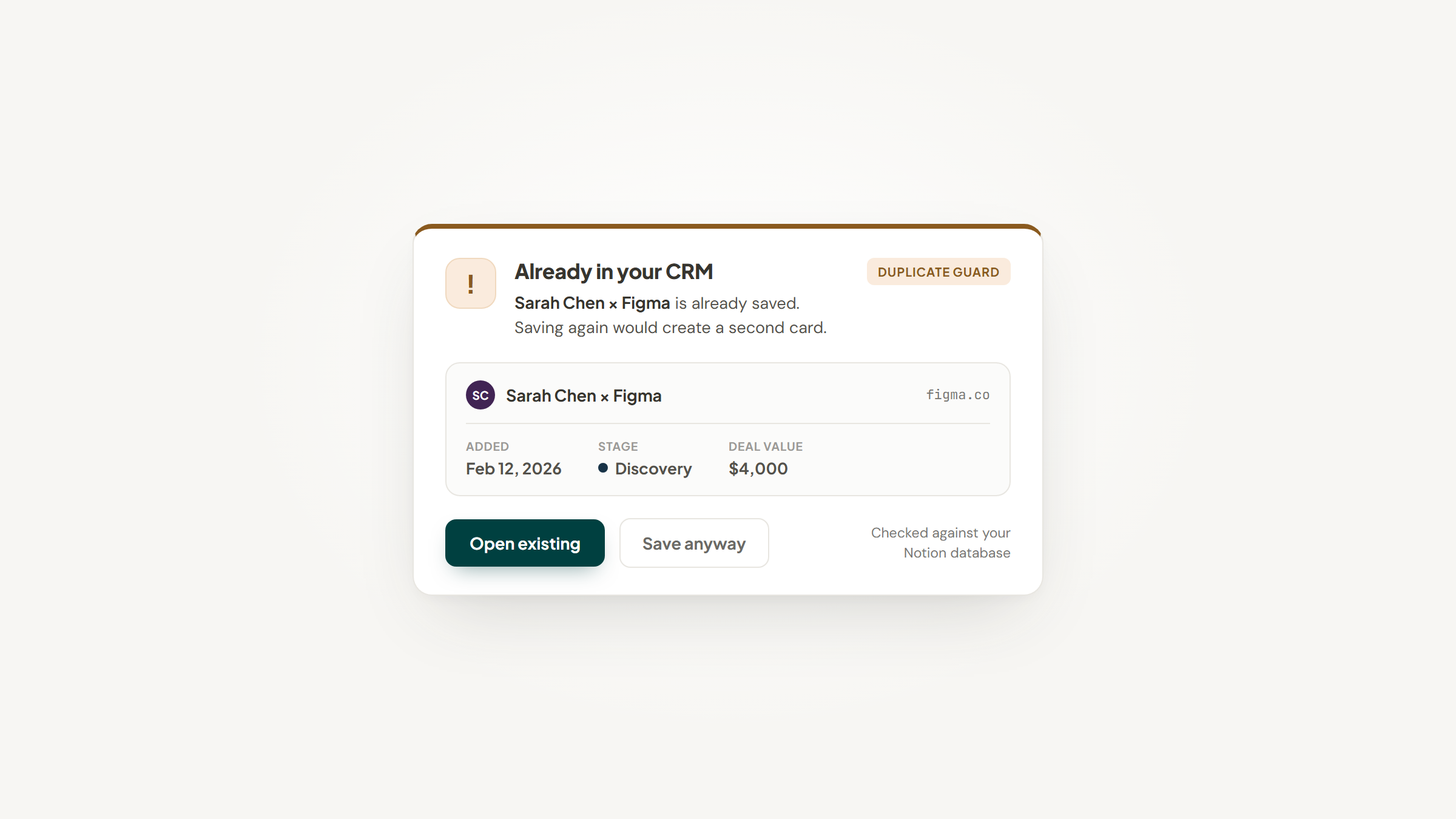
Two of its jobs map straight onto the table above. It won't save a company that's already in there, which is the duplicate detection Notion lacks. And its pipeline tab weights each stage by win chance, which is the forecast Notion lacks. Both exist because founders kept asking for exactly those two.
It costs nothing and asks for no account, and your token never leaves your device. The friction, stated plainly: there's no Web Store listing yet, so you unzip a folder and load it via Developer mode, and the seven properties above need mapping once. Our setup guide walks it.
It doesn't turn Notion into a CRM. It fills the one it already is.
What to Build First
Founder time is the scarce thing, so build in this order and stop when it's enough.
- The lead database with seven properties, from the list above. One afternoon, maybe less.
- The board view grouped by stage. Four clicks.
- One automation, on Plus, that stamps last-contacted when a stage changes.
- A wiki, but only when the second person joins and asks the same question twice.
- The fundraising tracker, but only when you're actually raising.
- Everything else, later, if you miss it.
Notice what's not on the list: a dashboard, a template bundle, and a workspace redesign. Those are what founders build instead of selling.
Making the Call
There's a reason to get this right early rather than perfectly. The Bureau of Labor Statistics tracks how long new US businesses actually last, and roughly half of establishments make it to five years, with about a third reaching ten. Those odds don't improve because your Notion workspace is beautiful.
And when startups specifically fail, the causes are rarely tooling. CB Insights' analysis of 431 startup shutdowns since 2023 found running out of capital cited in 70% of them, but the more diagnostic reasons underneath were no product-market fit at 43%, bad timing at 29%, and unsustainable unit economics at 19%. The median company had raised $11 million and died 22 months after its last raise.
So spend an afternoon on the pipeline, not a fortnight. Take the startup offer if you qualify, because 6 months of Business is worth having. Use the free template collection rather than paying for someone else's. And keep the schema small enough that you're still selling.
If the typing is what's slowing you down, download our extension. More on our blog: Notion vs Monday and Notion vs ClickUp if you're still choosing, Notion automations once the database exists, and the Notion HubSpot integration piece if you've outgrown it.
Frequently asked questions
Two different things are free. Notion's normal free plan has no database record cap, so a small team can track leads on it indefinitely; it limits file uploads to 5MB, page history to 7 days, and guests to 10 instead. Separately, the Notion for Startups program gives eligible companies 1 to 6 months free of the Business plan, worth up to $12,000. Most founders can run their pipeline on the ordinary free plan and only need the program for AI and team features.
Turn Notion into your CRM
Lead to Notion is a free Chrome extension. Save leads to your Notion database in one click, add notes, and track your pipeline. No account, no server.