
10 Best Contact Management Software Options for 2026
The 10 best contact management software options for 2026, with prices verified on each vendor's own page, real limitations, and what fits your team size.
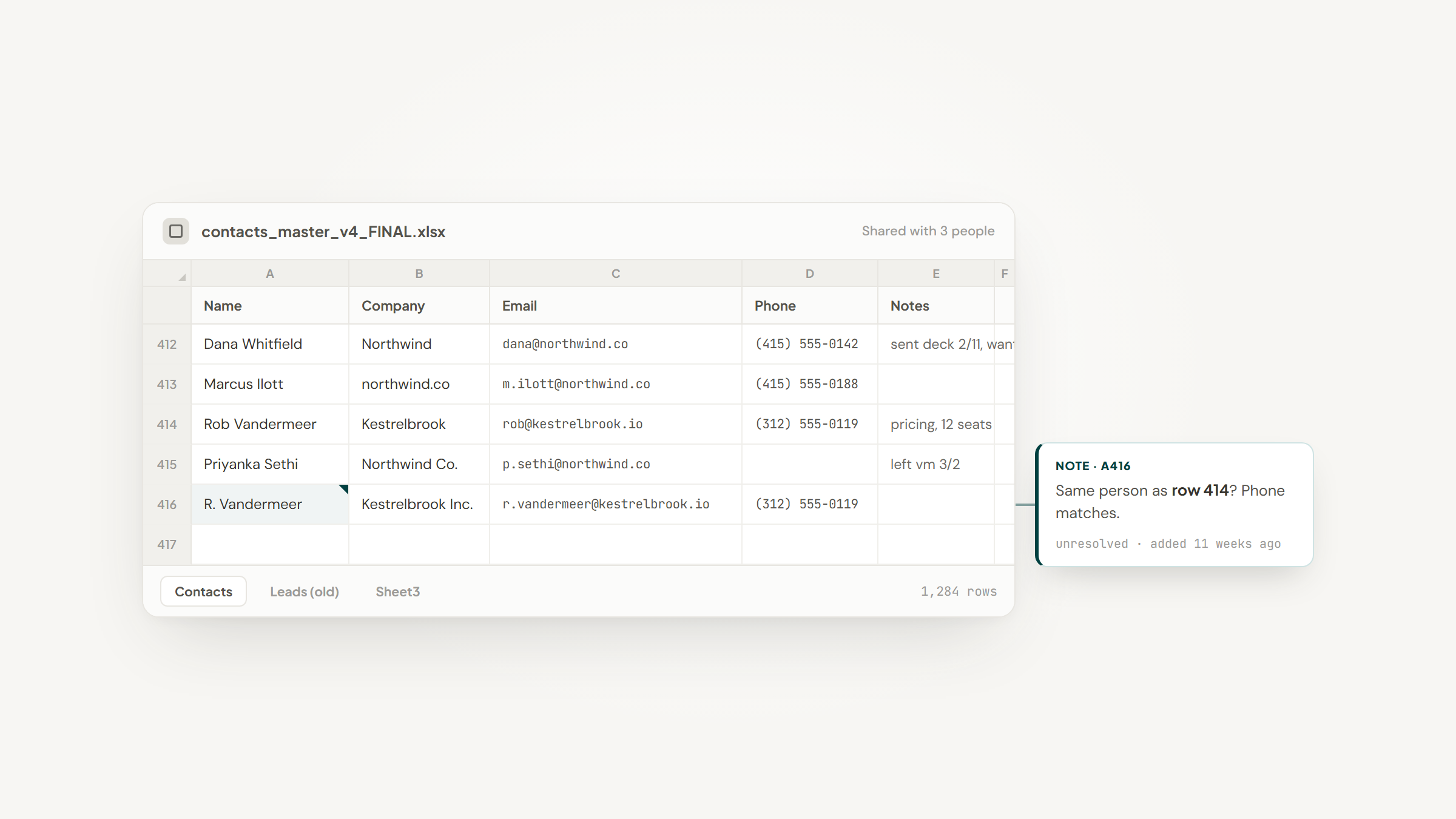
Almost nobody sets out to buy contact management software. They set out to stop losing track of people, discover that a spreadsheet has stopped coping, and end up comparing sales platforms built for a job much larger than the one they have.
So the search for the best contact management software usually turns into a search for the smallest tool that solves three specific problems.
That mismatch is worth naming early. A full CRM assumes pipelines, forecasts, quotas and a team working shared accounts. Contact management assumes something smaller and more common: a list of people and companies, a history of what happened, and a way to find any of it in seconds.
Ten options are below, and every figure was checked against the vendor's live plan page in August 2026 rather than lifted from another roundup. That distinction turned out to matter, because two of the tools here have quietly repositioned and one headline price is a limited-time promotion.
Our own entry sits first, and we would rather you knew why: we make Lead to Notion, a free extension that saves records into Notion. Read the other nine on their merits, because several solve problems we deliberately do not touch.
What This Software Does That a Spreadsheet Cannot
A spreadsheet holds contacts perfectly well until three things happen at once, and they always happen at once.
The first is history. A row can hold a phone number, but it cannot hold the six exchanges you had with that person over two years without becoming unreadable. Contact software attaches a timeline to a record instead of a column.
The second is duplication. Two people add the same company under slightly different names, and within a quarter nobody trusts the file. Purpose-built tools check for matches on save.
The third is permission. A spreadsheet is all-or-nothing: either someone can see every row or none of them. Once a second or third person needs access, that becomes a real problem rather than an inconvenience.
Everything else these tools sell, automation, reporting, sequences, is downstream of those three. If none of the three is hurting yet, a spreadsheet is still the right answer and you can close this tab.
Rule-based updates sit a step above all of it, and a workspace can cover a surprising amount of that ground on its own, as our Notion automations guide sets out.
The Best Contact Management Software in 2026
Prices below are the lowest genuinely usable tier, and the ratings judge each tool at contact management specifically rather than as an all-purpose platform.
Tool | Best for | Key features | Main limitation | Pricing (from) | Rating |
|---|---|---|---|---|---|
Notion + Lead to Notion | Records inside a workspace you own | One-click capture, duplicate guard, custom fields | You design the database yourself | $0 (free) | ★★★★★ |
HubSpot | Starting free and growing later | Free CRM, email tracking, meeting scheduling | Free tier is capped at 2 users | $0 (free) | ★★★★☆ |
Zoho CRM | The most features per dollar | Contacts, deals, automation, AI agents | Interface density and a learning curve | $14/user/month | ★★★★☆ |
Pipedrive | Teams that work a pipeline daily | Pipeline views, email sync, 500+ integrations | No free plan at all | $14/seat/month | ★★★★☆ |
Copper | Companies living in Google Workspace | Gmail and Calendar native, pipelines, enrichment | Contacts capped at 2,500 on the entry tier | $23/seat/month | ★★★☆☆ |
Less Annoying CRM | Small teams who hate tiers | Unlimited contacts, pipelines, custom fields | Deliberately light on automation | $15/user/month | ★★★★☆ |
Capsule | Growing past a spreadsheet | Contacts, pipelines, 100+ integrations | Reporting is thin at the lower tiers | $0 (free) | ★★★★☆ |
Insightly | Sales, marketing and support in one | CRM plus marketing automation and ticketing | Services carry a $3,000 minimum | $49/user/month | ★★★☆☆ |
Streak | People who never leave Gmail | Pipelines inside the inbox, mail merge, tracking | Now marketed mainly at hiring teams | $49/user/month | ★★★☆☆ |
Freshsales | The cheapest real sales CRM | Contact scoring, built-in phone, AI assist | Cheapest tier is genuinely basic | $9/user/month | ★★★★☆ |
The table hides one useful pattern. The three cheapest entries, at $0, $9 and $15, are not the three weakest, and two of them beat tools costing five times as much at the specific job of managing contacts. The best contact management software for a small business is rarely the most expensive option on any list.
Notion + Lead to Notion

Best for: Contact records in your own workspace
Overview: A Notion database with columns for name, company, email, source and last contacted is contact management software. It has views, filters, relations to other databases and a page of notes behind every record, and on the free plan it costs nothing.
The weakness is not capability, it is entry. Records arrive by hand, one field at a time, and a database nobody adds to stops being useful within a month.
Lead to Notion closes that gap. Our free extension adds a panel to the page you are on, asks for a short form, and drops the record into the Notion database you designed.
One detail does more work than the rest: the card title composes itself as "Name x Company" from the website domain you paste, so records arrive named consistently instead of however each person felt like typing them that day.
Key features:
- One panel and one short form, so a contact is filed from any page without leaving the tab you are on
- Automatic title composition as "Name x Company", so naming stays consistent across everyone adding records
- A duplicate check against the website and LinkedIn URL before saving, which names the record that already exists
- Column mapping that reads your live database and matches your own field names and select options
- Date-stamped notes appended to the record body, so each contact reads as a running history
- A stage view that totals value per stage, for records that are also opportunities
Pricing: $0, permanently. There is no account to create, no trial clock and no card on file. Notion's own free plan covers individual use, and its paid tiers begin at $10 per member per month if a team outgrows it.
Pros: no cost at any volume, records live in a database you control and can export, structure is entirely yours, no account or server involved, works with the Notion setup you already have
Cons: installation is manual, a ZIP loaded through Chrome's Developer mode rather than a Chrome Web Store click, and Website, LinkedIn URL, Deal Value, Service and Source are all required fields rather than optional ones
How to start using it:
- Set up a Notion database holding whichever contact fields you need.
- At notion.so/my-integrations, make a new integration and copy its secret.
- Back in the database, use the Connections menu to grant that integration access.
- Unzip the downloaded extension and load it unpacked from `chrome://extensions`.
- Drop the secret and database ID into settings, run Test connection, then line up each field.
Why it works as contact management software: the record ends up in a database you designed, inside the workspace you already have open, so nothing new competes for attention. Capture is fast enough that people keep doing it, which is the only thing that keeps a contact list alive.
Final verdict: this is a capture layer on top of Notion, not a CRM, and we would rather say so than let you find out later. For anyone already working in Notion it is the cheapest arrangement here and the least disruptive; for anyone who is not, a purpose-built tool below will fit better.
Try it: download free and give it your contacts database.
HubSpot

Overview: HubSpot's free CRM is the default recommendation in this category for a reason. It handles contacts, companies, deals and email tracking without payment, and its own pricing page calls it "100% free with no expiration date."
Key features:
- Contact and company records with automatic activity logging from connected email
- Meeting scheduling and live chat included at no cost, which is unusual at this tier
- A clear upgrade path into marketing, service and content tools on the same record
Pricing: the free plan is $0 and, per the current pricing page, covers up to 2 users. Starter is advertised from $7 per seat per month against a struck-through $20, a new-customer promotion rather than the standing rate, so budget for $20.
Pros: the most generous free tier here, excellent onboarding, enormous integration library
Cons: the free user cap surprises people, costs climb steeply once marketing tools are added, and the platform is far larger than a contact problem requires
Why buyers shortlist it: you can be running properly within an hour without a purchase order, and nothing has to be migrated later if you grow into the paid tiers.
Final verdict: start here if you want to spend nothing and are not already living in another tool.
Zoho CRM

Overview: Zoho packs more capability into a low price than anything else here, covering contacts, deals, automation, analytics and its own AI agents on tiers that undercut most competitors by half.
Key features:
- Deep customization of fields, layouts and modules without developer help
- Workflow automation available well down the pricing ladder rather than reserved for enterprise plans
- Tight integration with the wider Zoho suite, including mail, books and desk
Pricing: there is a free edition at $0, then paid tiers at $14, $23 and $40 per user per month. Zoho also sells Bigin, a lighter pipeline product, from $7 per user per month.
Pros: exceptional value, very deep feature set, a genuine free edition
Cons: the interface is dense and takes time to learn, support quality is uneven, and the sheer number of Zoho products makes it hard to work out what you are buying
Where it beats the alternatives: budgets under $20 per user where you still want automation and reporting rather than a contact list with a nice interface.
Final verdict: the most capability per dollar in this list, if you can absorb the learning curve.
Pipedrive

Overview: Pipedrive is a sales tool that happens to manage contacts well. Everything is arranged around moving deals through stages, and the contact record exists to serve that.
Key features:
- Visual pipelines that make the state of every relationship obvious at a glance
- Full email sync with open tracking on the mid tiers, plus a meeting scheduler
- More than 500 integrations, which covers most stacks without custom work
Pricing: four tiers at $14, $39, $59 and $79 per seat per month billed annually, with monthly billing costing up to 42% more. There is a 14-day trial and no credit card is needed, but no free plan exists.
Pros: genuinely easy to learn, excellent pipeline visualization, strong mobile app
Cons: no free tier, useful features like email sync sit above the entry price, and it is overkill if you are not selling
Its real strength: clarity. Anyone can look at a Pipedrive board and understand where things stand without training.
Final verdict: the right pick if contacts are prospects; the wrong one if they are simply people you know.
Copper

Overview: Copper is built for companies that run on Google Workspace. It lives inside Gmail and Calendar, and records update from the messages and meetings you were having anyway.
Key features:
- Native Gmail and Calendar integration rather than a bolted-on plugin
- Automatic contact enrichment that fills in details you never typed
- Pipelines and project tracking on top of the contact layer
Pricing: Basic is $23 per seat per month paid annually, Professional is $59 and Business is $99, each discounted from a higher monthly rate. Contacts are capped at 2,500 on Basic and 15,000 on Professional, with unlimited only on Business.
Pros: the smoothest Google Workspace experience available, clean interface, useful enrichment
Cons: the tiered contact caps are easy to miss and expensive to hit, it is poor value outside Google Workspace, and the entry price is high for what Basic includes
Why it made this list: for a Google-first company, the reduction in context switching is real and measurable in daily use.
Final verdict: excellent inside Google Workspace, hard to justify outside it, and check the contact cap before you buy.
Less Annoying CRM

Overview: The name is the strategy. One price, one plan, no tiers, no contracts and nothing withheld for an upgrade, aimed at people whose spreadsheet has stopped coping but who do not want a platform.
Key features:
- Unlimited contacts, companies, pipelines and custom fields on the only plan there is
- Email logging, task management and user permissions included rather than tiered
- 25GB of file storage per user and free support with no premium tier
Pricing: $15 per user per month, flat, plus applicable tax. A 30-day trial runs without a credit card and you can cancel at any time.
Pros: no pricing decisions to make, everything included, genuinely helpful support, family-owned and stable since 2009
Cons: deliberately light on automation, reporting is basic, and the interface prioritizes clarity over polish
Where it fits: its own tagline says it best, more than a spreadsheet and less than a CRM, which describes what most small teams actually need.
Final verdict: the least frustrating option here if you want software that stops asking you for money.
Capsule

Overview: Capsule aims squarely at the moment a business outgrows a spreadsheet but is not ready for a sales platform, and it keeps the contact record rather than the pipeline at the center.
Key features:
- Contact and organization records with tags, notes and a clear activity history
- Straightforward pipelines that do not require configuration to be useful
- More than 100 integrations, including QuickBooks, Xero, FreeAgent and FreshBooks
Pricing: a free plan exists at $0, then paid tiers at $18, $36 and $54 per user per month.
Pros: short learning curve, unusually strong accounting integrations for the price, genuine free tier
Cons: reporting is limited on the cheaper plans, automation is basic, and it is less capable than Zoho at a similar price
What it is genuinely good at: the accounting connections, which matter more than they sound when your contacts are also the people you invoice.
Final verdict: an easy, sensible middle option, particularly for service businesses already using Xero or QuickBooks.
Insightly

Overview: Insightly sells CRM, marketing automation and support ticketing as one platform, so a contact record carries campaign history and open tickets alongside the sales conversation.
Key features:
- A unified record spanning sales, marketing and support activity
- Project management built in, which is unusual for a CRM at this level
- Workflow automation and an AI assistant on the higher tiers
Pricing: the main plans run $49 and $99 per user per month, with a further tier at $249. Professional services attach a $3,000 minimum, which is worth knowing before scoping an implementation.
Pros: genuinely joined-up across three functions, solid project features, good customization
Cons: the entry price is the highest here, the services minimum is steep for a small team, and you pay for breadth you may not use
Why it earns a place here: buying one platform instead of three is a real saving once you genuinely need all three.
Final verdict: sound for mid-sized teams needing the full span, expensive for anyone who only wants contacts.
Streak

Overview: Streak puts pipelines directly inside Gmail, so the inbox becomes the interface and there is no second application to remember. Its homepage now leads with hiring teams, though the general product remains available behind an "All features" toggle.
Key features:
- Pipelines rendered as views inside the Gmail interface itself
- Mail merge, email tracking and snippets built into the compose window
- Shared pipelines so a team sees the same threads and stages
Pricing: paid plans run $49, $69 and $129 per user per month.
Pros: zero context switching for Gmail users, quick to adopt, strong email tooling
Cons: the pricing is high for what is essentially a Gmail layer, the recruiting-first positioning muddies what you are buying, and it is tied to Google entirely
Where it beats the alternatives: teams who will not adopt a separate CRM under any circumstances but will use something that appears in the inbox they already stare at.
Final verdict: the right answer for Gmail-only teams, priced as though it were more than that.
Freshsales

Overview: Freshsales, from Freshworks, is the cheapest genuine sales CRM here, combining contact scoring, a built-in phone and AI assistance at a price most competitors reserve for a trial.
Key features:
- Contact scoring that ranks records by engagement rather than by entry date
- A built-in phone and email so outreach happens without extra tools
- AI assistance for summaries and next-step suggestions across the record
Pricing: tiers at $9, $19, $39 and $59 per user per month, and the site's own banner promotes the $9 entry point.
Pros: the lowest real entry price in this list, built-in communication tools, clean modern interface
Cons: the $9 tier is genuinely basic, deeper reporting sits well up the ladder, and the wider Freshworks suite adds complexity you did not ask for
Its main appeal: getting a proper CRM with calling included for less than the price of two coffees per user.
Final verdict: the best value entry point if you want a sales CRM rather than a contact list.
How We Chose These Ten, and What We Cut
Two rules did most of the filtering, and both came from checking rather than assuming.
The first was that every tool had to be captured and looked at, not just cited. That is how we found that two entries had repositioned their marketing: Streak now leads with hiring teams, and one personal-CRM candidate we considered now leads with real estate. Both still sell the general product, so both are described as they are.
The second was that a tool had to be reachable to be verified. Nimble is a legitimate, well-regarded CRM, and it is not in this list because its site blocks automated capture, so we could not confirm what a new visitor actually sees. Rather than describe it from memory, we left it out.
Every figure here came straight from the plan pages themselves. That is how the HubSpot promotion surfaced, and how Copper's tiered contact caps did, neither of which appears in most roundups of this category.
A word on sourcing, since this is a category where recommendations are unusually compromised. Asking r/CRM for suggestions produces a thread where several replies are vendors, and one commenter's advice was simply to ignore the referral links. That is anecdotal, but it is good advice, and it applies to roundups as much as to forum threads.
The Features That Matter, and the Ones That Do Not
Feature comparison tables reward whoever ships the most checkboxes. In daily use, a much shorter list decides whether the software survives.
- How fast a new contact gets in, measured in seconds rather than clicks
- Whether history attaches itself or has to be written by hand
- What happens when two people enter the same company
- Whether search finds a person from a half-remembered detail
- How permissions work when a third person joins
- What the export produces, tested before you need it
Most of what gets marketed hardest, scoring, sequences, forecasting, dashboards, only pays off once the records are complete and current. Buying for those first is how teams end up with an expensive, empty CRM, and it is why our own entry above is a capture tool rather than another platform.
The same trap catches people evaluating full work platforms, where the board and the automation demo sell the tool and the daily record-keeping decides whether it survives, a pattern we traced in Notion vs Monday.
What It Costs in 2026
Entry prices cluster tightly and then fan out fast once automation and reporting enter the picture.
Monthly cost per user | What that buys | Tools at this level |
|---|---|---|
$0 | A free tier or a database you build yourself | Notion + Lead to Notion, HubSpot free, Capsule free, Zoho free |
$9 to $15 | A complete contact system, light on automation | Freshsales, Zoho, Pipedrive Lite, Less Annoying CRM |
$18 to $25 | Better integrations, email sync, more customization | Capsule, Copper Basic, HubSpot Starter at its standing rate |
$39 to $59 | Automation, reporting and multi-team features | Pipedrive Growth and Premium, Copper Professional, Insightly |
$99 and above | Unlimited contacts, full platforms, governance | Copper Business, Insightly upper tiers, Streak Enterprise |
The honest read is that anything above roughly $25 per user is being bought for automation and reporting rather than contact management, which is fine as long as you know that is the trade. If contacts genuinely are the requirement, the $0 to $15 band covers it, and HubSpot alongside Notion is a common way to keep the workspace and the CRM in their own lanes.
Your Contact Data Decays Whether You Touch It or Not
This is the argument for good contact software that vendors rarely make, probably because it undermines the idea that you can set one up and be finished.
The Bureau of Labor Statistics reports that median employee tenure in the United States was 3.9 years as of January 2024, the lowest since 2002, and only 3.5 years in the private sector. In leisure and hospitality it falls to 2.1 years.
Read that against a contact list. A median of 3.9 years means half the workforce has been in its current job for less than four years, so job moves are a constant background rate rather than an occasional event. A list you built and left alone drifts out of date on its own, and no amount of discipline stops it.
What follows is practical. Prefer tools that update records from activity rather than asking you to, keep a last-contacted field and actually filter on it, and treat any contact record older than about two years as a lead to verify rather than a fact. It also argues against paying for enrichment you will not check, since a confidently wrong job title is worse than a blank one.
Deletion Requests Are Part of the Job Now
Contact software has quietly become a compliance surface, and this is the part most roundups skip entirely.
Under the California Consumer Privacy Act, a consumer can request deletion of the personal information a business holds. On a verifiable request the business must delete it and direct any third parties it shared that data with to do the same. California's privacy agency went further in January 2026, launching a platform that lets a person send deletion requests to every registered data broker at once.
The practical test for any tool on this list is whether you could answer such a request completely. If your CRM syncs contacts outward to a mail tool, a support desk and a spreadsheet, and it cannot show you where a given record went, then honoring a deletion request means guessing.
Ask three questions before you buy: can you find every record for one person, can you delete it permanently rather than archiving it, and can you list the integrations that received it. A tool that answers all three saves you an unpleasant afternoon later.
Email is usually the leakiest of those integrations, since contacts flow both ways once an inbox is connected, a wiring problem we take apart in our Notion Gmail integration guide.
Matching the Tool to the Size of Your Team
Team size predicts the best contact management software for you better than industry or budget does.
For one person, the best free contact management software is genuinely sufficient. A Notion database or HubSpot's free tier will hold a few thousand contacts without complaint, and paying for a sales CRM at this size buys features that need colleagues to be useful.
For two or three people, which is where most spreadsheets finally break, the decision is about shared visibility rather than capability. Less Annoying CRM at a flat $15 and Capsule's free tier both handle a three-person agency splitting inbound inquiries, and neither requires anyone to learn a platform.
Between four and fifteen people, automation starts paying for itself, and the best sales contact management software becomes the right frame: Zoho, Pipedrive and Freshsales all make sense here. Above that, you are buying a platform rather than contact software, and the comparison shifts to how the tool fits the rest of your stack rather than how well it holds a contact.
Task-heavy teams hit a different ceiling again, where assignment and workload views matter more than the contact record itself, which is the split we examine in Notion vs ClickUp.
Getting a Contact System That Survives Contact With Reality
Pick for the boring parts. The tool that wins is the one where adding a person takes seconds, history attaches itself, and search finds someone from a fragment you half remember.
Everything else, scoring, forecasting, dashboards, is downstream of records being complete and current. A cheap tool with a full database beats an expensive one with a half-empty database every time, and the second outcome is far more common.
If your records already belong in Notion, the missing piece is usually just faster entry. The setup guide runs through connecting the integration and matching your columns, after which a contact takes roughly ten seconds to save.
That part costs nothing at any volume. Download free and start filing people the day you set it up.
Frequently asked questions
Contact management is the record-keeping half: people, companies, history and search. A full CRM adds pipelines, forecasting, automation and reporting on top. Every CRM includes contact management, but plenty of teams buy the whole platform and only ever use that half. That is why the best personal contact management software is usually a narrower, cheaper tool than the sales platforms it sits beside.
Turn Notion into your CRM
Lead to Notion is a free Chrome extension. Save leads to your Notion database in one click, add notes, and track your pipeline. No account, no server.