
10 Best CRM for LinkedIn Options in 2026 to Save Leads
The 10 best CRM for LinkedIn options in 2026, with verified pricing, what Sales Navigator actually costs, and the scraping rules worth knowing first.
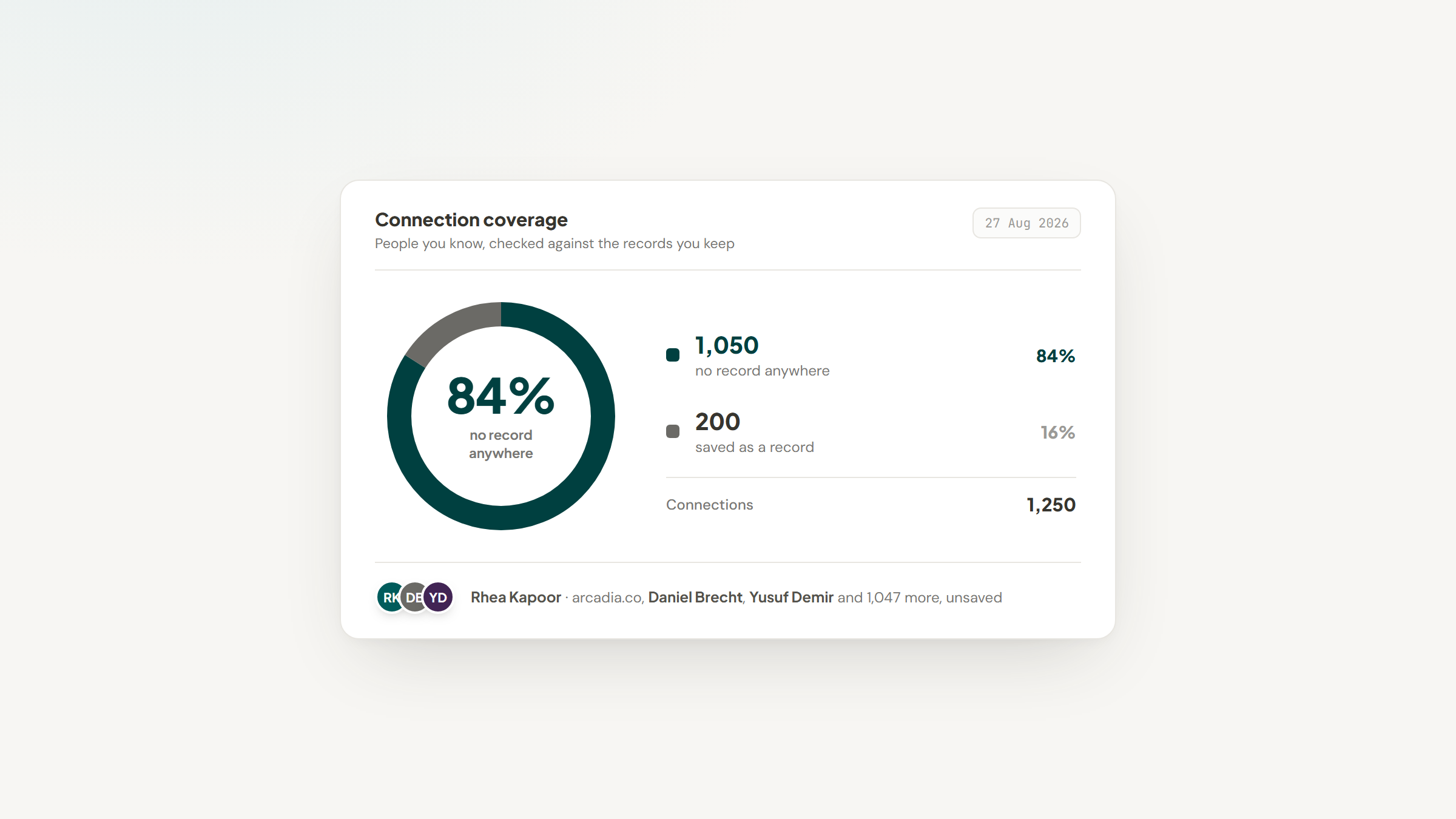
You had a good conversation on LinkedIn in March. The person runs operations at a company you would love to work with, they asked you to follow up after their reorganization, and you have not thought about them since.
That is the problem a LinkedIn CRM solves. Not automation, not sequences, not connection blasting. Just a record of who you spoke to, what was said, and when to come back, in a place that is not your own memory or a message thread buried under four hundred others.
The awkward part is that LinkedIn does not really want to help you do this. What follows is the honest version: what LinkedIn officially supports, what it costs, and the ten tools people actually use to work around it.
What Is a CRM for LinkedIn?
A CRM for LinkedIn is any system that captures people you meet on LinkedIn as records you can filter, sort and follow up. The phrase covers three fairly different kinds of product, and picking the wrong kind is the most common mistake buyers make.
The first kind is a browser extension that adds a sidebar to LinkedIn, letting you push a profile into a database without leaving the tab. The second is a full CRM that happens to offer a LinkedIn extension. The third is a network manager that treats your existing connection list as the database from the start.
None of these are LinkedIn products. Every one of them sits alongside LinkedIn and reads what your logged-in browser can already see, which is a design constraint worth understanding before comparing feature lists.
Founders doing their own prospecting usually want the third kind and buy the second, an expensive mismatch we cover for early-stage teams.
What LinkedIn Officially Supports, and What It Costs
Here is the fact that reframes this entire category, and it comes straight from LinkedIn's own plan comparison rather than from a vendor.
LinkedIn offers no direct CRM integration outside Sales Navigator. Its cheapest tier, Core, costs $119.99 a month per license or $1,079.88 a year, and includes no CRM integration whatsoever.
CRM features begin one tier up, on Advanced at $159.99 a month per license or $1,799.88 a year. That is where Advanced CRM Integrations, CRM Sync and the ability to create leads directly in Salesforce, HubSpot, Microsoft Dynamics or Oracle appear, while Advanced Plus carries no public price and is quoted by team size.
The destination CRM is a separate bill again, and the connector question that raises is one we work through in our HubSpot walkthrough.
Someone asking this exact question for a small agency on Reddit got the same answer from a commenter: the only official connection is Sales Navigator, a paid product whose widget surfaces LinkedIn data inside certain CRMs. That is a single anecdotal thread, but it matches what LinkedIn publishes on its own pricing page.
So the real comparison is not tool against tool. It is $1,799.88 per seat per year plus a CRM subscription, against everything else on this page. Once you see it that way, a $28-a-month extension stops looking expensive.
The Best CRM for LinkedIn Options in 2026
The ten below cover all three product shapes described above. Every figure below came from the vendor's live pricing page on 19 August 2026, with annual rates flagged wherever that is what the vendor advertises.
Tool | Best for | Key features | Main limitation | Pricing (from) | Rating |
|---|---|---|---|---|---|
Notion + Lead to Notion | Running a LinkedIn pipeline in a database you own | One-click capture, LinkedIn URL duplicate guard, weighted forecast | You build the CRM yourself in Notion | $0 (free forever) | ★★★★★ |
LeadDelta | Turning your connection list into a CRM | Connection tagging, warm intros, shared team inbox | Works on your network, not on cold prospects | $17.50/user/month | ★★★★★ |
HubSpot | A free CRM that grows with you | Free forever tier, deal pipelines, LinkedIn via extensions | LinkedIn capture needs a third-party extension | $0 (free, 2 users) | ★★★★★ |
Breakcold | Solo users who dislike per-seat billing | Single plan, multi-channel sync, AI enrichment | Token overage adds to the base price | $59/month flat | ★★★★☆ |
Kondo | Working a busy LinkedIn inbox | Keyboard-driven inbox, tagging, follow-up reminders | Now spans six messaging channels, not just LinkedIn | $28/user/month | ★★★★☆ |
folk | Small teams sharing a relationship pipeline | Chrome extension, pipeline views, team sharing | Priced per member, so teams add up quickly | $24/member/month | ★★★★☆ |
HubLead | Getting LinkedIn conversations into HubSpot | One-click sync to HubSpot, message import, enrichment | Useless unless HubSpot is your CRM | $32/seat/month | ★★★★☆ |
Dex | Keeping up with people rather than deals | LinkedIn sync, reminders, relationship timeline | Connection sync is capped by plan | $12/month | ★★★★☆ |
Salesflare | Sales teams who hate data entry | Auto-fills from email and calendar, LinkedIn sidebar | Lead credits are metered separately | $29/user/month | ★★★★☆ |
Pipedrive | Managing deals after the LinkedIn conversation | Visual pipelines, forecasting, large app marketplace | Reaches LinkedIn only through marketplace apps | $14/seat/month | ★★★★☆ |
Ratings reflect how well each tool matches its own stated purpose and what it charges for it, so a narrow tool doing one job cleanly can score above a broad platform that treats LinkedIn as an afterthought.
Notion + Lead to Notion

Best for: Owning your LinkedIn pipeline outright
Overview: This entry is a pairing rather than a product, and the distinction matters. Notion is the CRM: a database you build, own and can export. Lead to Notion is the free Chrome extension we make that fills that database without you retyping anything.
The LinkedIn-specific piece is how the extension treats profile URLs. LinkedIn URL is a required field rather than an optional one, so no card enters your pipeline without the link back to the person, and finding them again is one click instead of a search.
Before saving, it checks your database for that same LinkedIn URL or website and warns you if either already exists, naming the card it found. It also cross-checks the two against each other, which catches the mix-up where you paste a company site into the profile field or the reverse.
Because you own the database, everything downstream is yours to shape: your own stages, your own deal fields, your own views. Nothing is locked to a vendor's schema and nothing stops you exporting the lot.
Key features:
- LinkedIn URL as a required field, so every record links back to the person
- Duplicate guard on LinkedIn URL and website, checked before the card saves
- The card names itself from the person and the domain you paste, so titles stay consistent
- Notes are logged against a card with today's date in front, and the stage moves in the same panel
- Pipeline tab totals deal value by stage and applies a weighted forecast at 10, 25, 50 and 75%
- Reads your database live, so your Select and Multi-select options are always your own
Pricing: Free, $0 forever, with no plans, trials or card on file and no cap on leads or notes. Notion itself costs nothing for one person, and a team that outgrows the free tier pays $10 a member monthly on Plus or $20 on Business, both on yearly billing.
Pros: costs nothing, the records sit in a workspace you control and can export, duplicate checking before save, no per-seat billing ever, open source
Cons: you build the CRM structure yourself, install is manual rather than one click, five fields are mandatory on every save
How to start using it:
- Create a Notion database with the fields you want to track, including a URL column for LinkedIn.
- Grab the release ZIP from GitHub and expand it somewhere permanent, since Chrome loads from that folder.
- Visit `chrome://extensions`, switch Developer mode on, pick Load unpacked and point it at the expanded folder.
- Make an integration at notion.so/my-integrations, then authorize it against your database through the ••• menu.
- Drop the secret and the database ID into settings, hit Test connection, then line up your column names.
Our setup guide walks through each of those steps, including the Notion-side connection that the extension cannot see until you make it.
Why it's a good CRM for LinkedIn: It puts the LinkedIn profile at the center of the record rather than treating it as one field among many, and it costs nothing to run at any volume.
Two limits to know before you commit. A card will not save until Website, LinkedIn URL, Deal Value, Service and Source are all filled, so this captures qualified prospects rather than half-remembered names. And every card enters at the Lead stage no matter where the relationship really is, so you reposition it afterwards from the Add note tab.
Final verdict: Choose this if you value owning your pipeline and are willing to spend an afternoon building it. Skip it if you want software that arrives already opinionated, because Notion will ask you to make those decisions yourself. We are a capture layer, not a CRM, and Notion is doing the CRM work here.
CTA: Download free and connect your Notion database.
LeadDelta

Overview: Built on a premise the others miss: you already have a LinkedIn CRM, and it is your connection list. LeadDelta pulls that list into a workspace where connections can be tagged, filtered, and mined for warm introductions.
Key features:
- Tags and filters across your whole connection list, not just people you actively pitch
- Warm intro discovery across a team's combined networks
- One shared inbox so a team can work LinkedIn conversations together
Pricing: Starter is $17.50, Pro is $38.50 and Business is $69.30 per user per month on yearly billing, a 30% discount on monthly rates. There is a 7-day trial with no card required.
Pros: works with the network you already have, strong team features, genuine warm-intro mapping
Cons: less useful for cold prospecting, priced per user, another place your connection data lives
Why it's a good pick: For anyone whose next deal is likely to come through a second-degree connection, mapping the network you already own beats adding more names to it.
HubSpot

Overview: The default answer when someone asks for a free CRM, and it earns that reputation. The free tier is genuinely free rather than a trial, and it will hold a LinkedIn pipeline perfectly well once you have a way to get people into it.
Key features:
- Free plan with no expiration date and no card required
- Deal pipelines, contact timelines and task reminders out of the box
- A large ecosystem of extensions that push LinkedIn profiles into it
Pricing: The free plan covers 2 users and costs nothing. Starter carries a headline rate of $7 a seat monthly, but a struck-through $20 sits right beside it on the same page, so read the lower number as a promotion rather than the going rate.
Pros: free tier is real, scales into a full sales platform, huge integration ecosystem
Cons: no native LinkedIn capture, upgrade pricing rises steeply, more product than a solo user needs
Why it's a good pick: It is the lowest-risk place to put LinkedIn contacts if you expect the operation to grow, and pairing it with a capture extension costs less than Sales Navigator's CRM tier.
Breakcold

Overview: A social-selling CRM whose pricing is the most unusual thing about it. Rather than tiers, there is one plan, and you add capacity to it as needed.
Key features:
- Multi-channel conversation sync so LinkedIn and email sit on one record
- Live feed of prospect activity for warming contacts before outreach
- Enrichment built in rather than sold as a separate credit pack
Pricing: One plan at $59 a month. The first seat is included and each additional seat is $10 a month, two connected accounts are included and each additional one is $10 a month, with token usage billed on top. A 14-day free trial is available.
Pros: flat and predictable base price, strong multi-channel view, solo users pay the same headline rate as a team's first seat
Cons: token overage makes the true monthly cost variable, expensive for one light user, built around active selling rather than passive tracking
Why it's a good pick: The pricing suits a founder or solo operator who wants full features without per-seat arithmetic, provided the usage-based element is understood upfront.
Kondo

Overview: Designed for people whose LinkedIn inbox is the actual workload. It layers keyboard shortcuts, tags and reminders over messaging so conversations get processed rather than accumulating.
Worth being straight about a shift here: its homepage now leads with the phrase Superhuman for DMs and covers iMessage, WhatsApp, Telegram, X and Instagram alongside LinkedIn. It is no longer a LinkedIn-only tool.
Key features:
- Keyboard-driven inbox triage across six messaging channels
- Tagging and reminders attached directly to conversations
- Templates and snippets for replies you send repeatedly
Pricing: Three plans at $28, $36 and $52 per user per month, all covered by a 14-day money-back guarantee.
Pros: genuinely fast for heavy message volume, reminders tied to conversations, covers channels beyond LinkedIn
Cons: broader focus than the name suggests, per-user pricing, overkill for light inbox use
Why it's a good pick: If your pipeline lives in DMs rather than in a database, this is the tool shaped for that reality.
folk

Overview: A relationship-first CRM with a Chrome extension for pulling people in from LinkedIn and elsewhere. Its homepage leads with team CRM rather than LinkedIn, which is a fair description of where its strengths sit.
Key features:
- Chrome extension that captures contacts from LinkedIn profiles
- Pipeline views that a small team can share and work jointly
- Contact enrichment that fills in details you did not type
Pricing: Billed yearly, the three tiers cost $24, $48 and from $80 per member each month, or $288, $576 and $960 across a year. Choosing monthly billing instead raises those to $30, $60 and from $100. Note that folk's own blog has quoted a $14 rate that its live pricing page does not support.
Pros: clean interface, good team collaboration, solid enrichment
Cons: per-member pricing adds up fast, LinkedIn is one source among many, no free tier
Why it's a good pick: It suits a small team that wants a shared relationship pipeline rather than individual address books, and the extension makes LinkedIn one credible input among several.
HubLead

Overview: The narrowest tool here and better for it. HubLead does one thing: it puts LinkedIn profiles and conversations into HubSpot without you switching tabs.
Key features:
- One-click sync of a LinkedIn profile into HubSpot as a contact
- Imports LinkedIn message history onto the HubSpot record
- Surfaces existing HubSpot data on the LinkedIn page itself
Pricing: $32, $64 and $112 per seat per month on annual billing, or $40, $80 and $140 monthly.
Pros: removes the copy-paste step entirely, shows CRM context inside LinkedIn, quick to adopt
Cons: worthless unless you use HubSpot, priced per seat on top of HubSpot itself, single-purpose
Why it's a good pick: For HubSpot teams it closes the exact gap Sales Navigator charges $1,799.88 a year to close, at a fraction of the cost.
Dex

Overview: A personal CRM aimed at relationships rather than revenue. It syncs your LinkedIn connections, keeps a timeline of your interactions, and nudges you when someone has gone quiet.
Key features:
- LinkedIn connection sync that populates records automatically
- Keep-in-touch reminders set per person rather than per deal
- A unified timeline pulling together email, LinkedIn and notes
Pricing: On annual billing Premium lands at $12 a month and Professional at $20, roughly 40% below what monthly billing costs, and the 7-day trial asks for no card. What actually separates them is the connection ceiling: Premium stops syncing at 2,500 and Professional at 9,000.
Pros: inexpensive, genuinely good reminders, low maintenance once set up
Cons: connection caps by tier, no deal pipeline worth the name, built for individuals not teams
Why it's a good pick: If your goal is staying in touch with people rather than closing them, this is the right shape of tool, and the connection cap is the number to check first.
Salesflare

Overview: A B2B sales CRM built around the idea that you should not have to fill anything in. It pulls details from your email, calendar and signatures, and offers a LinkedIn sidebar for the parts it cannot infer.
Key features:
- Automatic contact and company enrichment from your existing email traffic
- LinkedIn sidebar for adding people it has not already found
- Pipeline tracking with automated reminders on stalled deals
Pricing: Growth is $29 per user per month billed yearly, or $39 monthly. Pro is $49 yearly, or $64 monthly. Lead credits are bought separately at $39 for 250, $69 for 500 and $129 for 1,000.
Pros: minimal manual entry, strong email integration, sensible automation defaults
Cons: LinkedIn is secondary to email in its design, credits billed on top of seats, no free plan
Why it's a good pick: It fits sellers whose LinkedIn conversations reliably move to email, since that is the point at which its automation starts doing the work for you.
Pipedrive

Overview: A pipeline-first sales CRM that handles what happens after the LinkedIn conversation. It has no native LinkedIn capture, relying on marketplace apps instead, but it is the strongest deal-management tool on this list.
Key features:
- Visual pipeline with drag-and-drop stages and rotting-deal indicators
- Forecasting and reporting well beyond what the extensions offer
- A large marketplace covering LinkedIn capture and enrichment
Pricing: Lite is $14, Growth is $39, Premium is $59 and Ultimate is $79 per seat per month billed annually, up to 42% below monthly rates. There is a 14-day trial with no card required, and no free plan.
Pros: excellent pipeline management, strong reporting, cheap entry tier
Cons: no native LinkedIn integration, no free plan, extensions add cost on top
Why it's a good pick: Choose it when the LinkedIn conversation is the beginning of a real sales process rather than the whole of it, and budget for a capture extension alongside.
How We Chose These LinkedIn CRMs
Two tests removed most of the candidates, and each one cut a tool you will find on competing lists.
The first was that a tool has to be a CRM. LinkedIn automation platforms that send connection requests and sequences are a different product solving a different problem, so three well-known names came out on that basis alone. If you are here to manage contacts rather than to send outreach at volume, they would have wasted your time.
The second was that a LinkedIn integration has to exist on the vendor's own site. One credible, well-priced CRM was cut after its own app directory turned out to carry no first-party LinkedIn integration at all, only third-party apps for LinkedIn advertising attribution. Directory categories and roundups both go stale; a vendor's own integration list does not.
One further tool was dropped for a duller reason: its site auto-opens a sales chat panel that covers half of every screenshot, and shipping an entry with a broken image is worse than leaving it out. Its pricing is recorded in our notes either way.
We held our own listing to that bar too. Lead to Notion shows the same drawback column as everybody else, because a roundup that hides its publisher's weak spot is not worth reading.
What Features to Look For in a CRM for LinkedIn
Feature grids in this category all look similar, so it helps to know which four things actually differ.
Capture speed is first. The whole category exists because moving a person from LinkedIn into a database is annoying, so count the clicks between viewing a profile and having a saved record. Anything over three and you will stop doing it within a fortnight.
Duplicate handling is second and badly underrated. You will meet the same person twice, once through a connection request and once through a shared thread, and a CRM that quietly creates two records has broken the thing you bought it for. Ask whether it matches on the profile URL specifically rather than on name.
Export rights are third. Your contact list is the asset, not the software, and a tool that makes leaving expensive has a hold on you that has nothing to do with quality.
Billing shape is fourth. Per-seat pricing is normal here, but flat pricing and free tiers both exist, and the difference over three years is larger than any feature gap on the list.
One more thing to check is where the conversation goes after LinkedIn, because most of these deals continue by email and the routes into a database changed this year, as our Gmail guide sets out.
Is It Legal to Pull Data Off LinkedIn?
This question sits under the whole category, and the honest answer has two halves that often get conflated.
On the federal computer-crime question, the Ninth Circuit's decision in hiQ Labs v. LinkedIn affirmed an injunction stopping LinkedIn from blocking a company that scraped public profiles.
The court held that hiQ had raised serious questions about whether the Computer Fraud and Abuse Act's prohibition on access "without authorization" applies where no authorization is generally required in the first place. That was a preliminary-injunction ruling rather than a final judgment, so it is a strong signal rather than a settled rule.
The separate half is contractual. LinkedIn's User Agreement is a contract you accepted, and it restricts automated collection regardless of what the CFAA says. Breaking it risks your account rather than a federal case, which for most people is the more immediate consequence.
Practically, that puts the tools on this list in a much safer position than bulk scrapers. An extension that reads the profile page you have already opened in your own logged-in browser and saves it to your own database is doing something very close to typing it out yourself. Automating hundreds of profile visits an hour is a different activity, and it is the one that gets accounts restricted.
How Much Does a CRM for LinkedIn Cost?
Prices in this category span an unusually wide range for what is broadly the same job, and the bands sort cleanly by what you get.
Monthly cost per person | What sits here | What you give up |
|---|---|---|
$0 | A Notion database with a free capture extension, or HubSpot's free tier | You build or configure it yourself |
$12 to $30 | Personal CRMs and single-purpose extensions | Team features, deep reporting |
$30 to $60 | Team relationship CRMs and flat-rate platforms | Enterprise controls, deep customization |
$60 to $112 | Higher tiers of connector and network tools | Little in capability, so check you need the seats |
$150 and up | Sales Navigator Advanced, plus a CRM subscription | Nothing in features, but the CRM bill still sits on top |
The pattern worth noticing is that the jump in capability between the $0 band and the $30 band is much smaller than the price difference suggests, because the underlying job is capture and the capture is easy. What you pay more for, further up, is team coordination and reporting.
Anyone weighing a per-seat CRM against a Notion-based setup should price the workspace as well, because Notion's own seats run $10 monthly on Plus and $20 on Business when billed by the year. The board-and-pipeline trade-offs matter more than the headline rate at that point.
Why the Contacts You Barely Know Matter Most
There is a piece of research that ought to change how you use any of these tools, and it was run on LinkedIn itself.
A team including researchers from LinkedIn, MIT and Harvard tested the strength of weak ties in Science, using multiple large-scale randomized experiments on LinkedIn's own People You May Know algorithm.
Across more than 20 million people over five years, during which 2 billion new ties and 600,000 new jobs were created, weaker ties produced more job mobility than strong ones. The relationship follows an inverted U rather than a straight line, and the effect was stronger in more digital industries.
The practical reading for a CRM is straightforward. You do not need software to remember your ten closest contacts, because you speak to them anyway. The value sits in the two hundred people you met once, whose names you will lose within a year, and who are statistically the ones most likely to bring you something useful.
That argues for a specific habit: capture more people than feels necessary, at the moment you meet them, with one line about who they are. A tool that makes capture take ten seconds will do more for you than a tool with better reporting, because the reporting only ever describes what you bothered to save.
Choosing in Ten Minutes Rather Than a Week
Work down from your actual situation rather than through the feature grids.
If you already run HubSpot, buy HubLead and stop reading. If you already run Notion, the free pairing at the top of this list costs nothing to try.
If your pipeline lives in your LinkedIn inbox, look at Kondo or Breakcold depending on whether you prefer per-seat or flat billing. If your value is in who you already know rather than who you are pitching, LeadDelta is shaped for exactly that, and if you are tracking people rather than deals, Dex does it more cheaply than any sales CRM will.
Whatever you pick, run it for two weeks on real conversations before paying annually. Teams already comparing broader work platforms will find the same evaluation logic in our ClickUp comparison, where the deciding factor is also habit rather than features.
If a Notion database is where you want this to live, that is exactly what we built for. Download free, point it at your database, and every profile you save keeps its LinkedIn URL attached.
Connecting the integration and mapping your own column names takes a few minutes, and nothing in the process asks you to rebuild a database you already trust.
Frequently asked questions
No. LinkedIn sells Sales Navigator, which includes CRM integration features, but it is not a CRM in itself and it does not store your pipeline. CRM integration starts on the Advanced tier at $159.99 a month per license, and it syncs with Salesforce, HubSpot, Microsoft Dynamics and Oracle rather than replacing them.
Turn Notion into your CRM
Lead to Notion is a free Chrome extension. Save leads to your Notion database in one click, add notes, and track your pipeline. No account, no server.