
Notion for Small Business in 2026: A Practical Setup Guide
A practical Notion setup for small business: four databases, real per-member costs, templates worth using, record retention, and where it breaks.
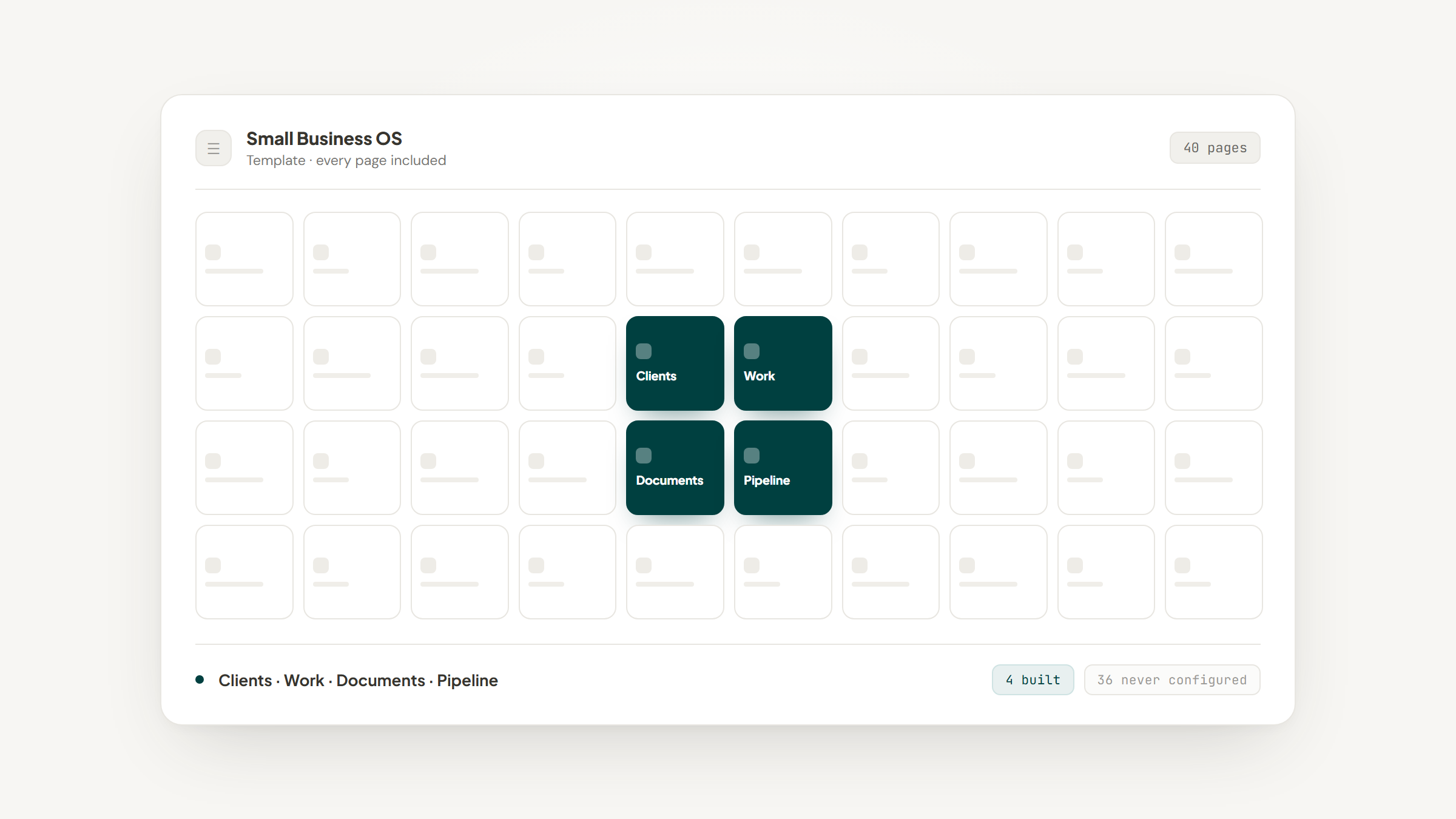
You run a business that works. There are clients paying you every month, a couple of people on the team, and a filing system made of Google Drive folders, an inbox, and your own memory. Nothing is broken, exactly. You just cannot answer "when did we last raise this client's rate" without opening four things.
That is the gap Notion fills for a small business. It is not going to do your books and it is not a project management tool in the strict sense. What it does well is hold the connective material, who your clients are, what you agreed, what you delivered and what happens next, in a structure you can query instead of remember.
This is a Notion for small business setup guide aimed at a company that already has revenue and repeat clients, not a startup planning its first raise. The advice differs, because your constraint is not growth, it is that six people need one version of the truth and nobody has an afternoon to spare.
Why Small Businesses End Up in Notion
The path is almost always the same. You start with folders, then a spreadsheet for clients, then a second spreadsheet because the first one got messy, then a shared doc that explains the two spreadsheets. Somewhere around the fourth tool you realize the problem is not the tools, it is that none of them know about each other.
Notion's appeal is that a document and a database are the same object. A client is a row in a table and also a page you can write on, so the meeting notes live on the client rather than in a folder that happens to be named after them.
That single property, that records and prose live together, is why service businesses gravitate here and why manufacturing or retail businesses often do not. If your work product is largely conversations, documents and deliverables, Notion maps to it neatly.
Worth separating this from the advice aimed at founders, because an established practice and a company chasing its first round want opposite things from the same tool, as our guide for early-stage teams sets out.
What Notion Replaces, and What It Does Not
The most common small business mistake is expecting Notion to absorb everything. It absorbs a surprising amount, and then it stops, and the stopping point is worth knowing before you migrate anything.
What you use today | Notion replaces it? | Reality |
|---|---|---|
Shared docs and SOPs | Yes | This is Notion's strongest use, and the migration is mostly copy and paste |
Client list in a spreadsheet | Yes | Becomes a database with a page per client |
Simple sales pipeline | Yes | Works well up to a few hundred open opportunities |
Project and task tracking | Mostly | Fine for small teams; weaker on dependencies, workload and Gantt views |
File storage | Partly | Fine for finals and briefs; not a replacement for a drive holding raw video or design source files |
Invoicing and accounting | No | Keep your accounting software; Notion holds the context around an invoice, not the invoice |
Payroll, contracts, e-signature | No | Specialist tools, and the compliance burden is why |
No | Notion Mail is shutting down on 22 September 2026, so do not build on it |
That last row catches people out. Notion shipped an email client and is retiring it, which means any plan built around a native Notion inbox needs rethinking. Getting mail into Notion still works, just not the way it did, and the routes that survive the shutdown are laid out in our Gmail guide.
What Notion for Small Business Actually Costs
Notion bills per member, and that is genuinely the whole model. There are no per-record charges, no storage tiers to trip over and no charge for the clients or contractors you invite as guests.
Take a bookkeeping practice with six people and forty recurring clients as the worked example. Here is what each plan costs that business for a year, at the annual rates on Notion's pricing page:
Plan | Per member/month | Six members for a year | External guests | What you get that matters here |
|---|---|---|---|---|
Free | $0 | $0 | 10 | Fine for one person, but no granular permissions and a block ceiling for teams |
Plus | $10 | $720 | Unlimited | Unlimited guests, longer version history, full database automations |
Business | $20 | $1,440 | Unlimited | Row-level database permissions, private teamspaces, SAML SSO, bundled Notion AI |
Enterprise | Custom | Quote | Unlimited | Audit log, advanced controls, HIPAA availability |
For that practice the honest recommendation is Plus at $720 a year, moving to Business only when you need to show a client or a contractor one row of a database without exposing the rest. Forty client guests cost nothing on either tier.
Notion AI is the exception worth flagging, because it is bundled into Business rather than sold separately. If the AI features are what you want, the price is $20 per member per month, and you pay it for everyone on the team whether they use it or not.
Start With Four Databases, Not Forty
Every abandoned Notion workspace looks the same: an elaborate structure built in week one, half-populated by week three, ignored by week six. The cure is to build less than you think you need.
Four databases will carry a service business a long way:
- Clients, one row per company, holding status, owner, rate and start date.
- Work, one row per project, engagement or recurring service, related to Clients.
- Documents, one row per SOP, template, contract or policy, related to Clients where relevant.
- Pipeline, one row per opportunity, which can be the same database as Clients with a stage property.
Relate them to each other and stop. You do not need a separate meetings database, a separate notes database or a separate tasks database on day one, because a client page can hold notes, and a work page can hold tasks as checkboxes.
Add the fifth database when you have felt the absence of it twice. That rule alone prevents most of the over-building, and it means every structure you have is one you have actually used.
Templates: What They Save and What They Cost
Search for Notion templates for small business and you will find hundreds of them, free and paid, each promising a complete operating system. Some are genuinely good. The question is what you are actually buying.
Notion templates for small business give you structure: the databases, the relations, the views and the dashboard layout, assembled by someone who has thought about it. That is a real saving, usually a few hours to a weekend of work.
A free Notion template for small business cannot give you your own vocabulary, and that is the part that matters. Your services are not the template author's services, your stages are not their stages, and your reporting needs come from how you actually bill. Most of the time spent "setting up a template" is spent renaming things, and renaming things in Notion has consequences downstream in filters, formulas and any tool you connect.
The practical advice is to treat any Notion CRM template for small business as a reference rather than a foundation. Open a good Notion dashboard template for small business, look at how it structures relations, then build your own four databases with your own names. You will finish faster than you would by adapting somebody else's assumptions, and you will understand your own workspace when it breaks.
Build the Client Record First
If you only do one thing, do this one. Every other structure in a service business hangs off knowing who your clients are and what state each relationship is in.
- Create the Clients database and make the title property the company name.
- Add the properties you would want on a one-page account summary: Status, Owner, Monthly Value, Start Date, Renewal Date.
- Add a Services multi-select and a Source select, covered in the next section.
- Add a Last Contacted date property, which becomes the single most useful column you have.
- Create a view grouped by Status and a second view sorted by Last Contacted, oldest first.
That second view is the one to pin. Sorted oldest first, it is a standing list of the clients you have quietly stopped talking to, and for most small businesses that list is where the next month's revenue is hiding.
Keep the properties few enough that filling them in is not a chore. A record with eight fields that are always current beats one with twenty-five that are half empty.
Make Services and Sources Match What You Actually Sell
Select and multi-select properties are where small business workspaces quietly rot. Someone types "bookkeeping", someone else types "Bookkeeping", a third person types "monthly books", and six months later your revenue-by-service view is fiction.
The fix is to define the option lists once, from your actual price list, and then never type them freehand again. Your Services multi-select should contain the things a client can buy from you, and your Source select should contain the ways clients actually find you: referral, existing client, inbound, a specific partner.
This is where our own tool fits, and it is a narrow fit. Lead to Notion is a free Chrome extension that saves a new lead into your Notion database from a side panel next to whatever page you are reading. The relevant part for this problem is that it reads your database live, so the Services and Source options it shows you are your options, pulled from the database itself rather than from a list it invented.
That means a new lead cannot introduce a spelling variant, because you are picking from your own set. It also adapts to your column names, so if you called the field Offering rather than Services, you map it once on the settings page and carry on.
Three honest caveats. Several fields are genuinely required before a card will save, specifically Website, LinkedIn URL, Deal Value, Service and Source, so it is built for capturing a real prospect rather than jotting a name. Every card saves into the Lead stage, which you move afterwards from the Add note tab rather than setting at capture time.
The third is the install. There is no Chrome Web Store listing yet either, so getting it running means a GitHub download, Developer mode, and Load unpacked: four clicks instead of one. And to be plain about the division of labor, the extension is a capture layer: your Notion database is the CRM, and we only fill it. Connecting the integration and mapping your columns is walked through in our setup guide.
Keeping Records Long Enough to Survive an Audit
A client database is also a business record, and business records have retention rules that most small business Notion guides never mention. Worth knowing before you decide what to delete.
The IRS ties retention to the period of limitations on the return the record supports. In practice that means keeping records for three years in the ordinary case, six years if you under-reported income by more than 25%, seven years for a bad debt deduction or worthless securities claim, at least four years for employment tax records, and indefinitely if you never filed or filed fraudulently.
Notion is a reasonable place for the context around those records, engagement letters, scope agreements, correspondence, and a poor place for the records themselves. Keep your invoices and ledgers in your accounting system where they are backed up and exportable in a form an accountant recognizes.
The practical setup is a Documents database with a Retain Until date property, populated when the document is filed rather than when someone finally asks. It costs nothing to add and it turns an anxious annual guess into a filter.
Automate the Weekly Repeats
Once the structure holds, look for the actions you take every single week and hand them to the database. Notion's built-in automations cover more than people expect, and they run without a third-party connector.
Good candidates for a service business are stamping a date when a status changes, setting a review flag when a renewal date comes within thirty days, and creating a task page when a new client row reaches a particular stage. Each of these removes a thing you would otherwise have to remember on a Friday.
Full database automations start on the paid tiers rather than the Free plan, which is one of the more concrete reasons a working business outgrows Free. What they can and cannot trigger is worth checking against your actual workflow before you design around them, and we set out the real boundaries in our guide to Notion automations.
Keep the first round of automations boring. A date stamp and a review flag that both work beat an ambitious chain that fires at the wrong moment and quietly corrupts a month of status data.
Where Notion for Small Business Breaks Down
Being fair about this matters more than selling you on the tool. Notion has real limits for a small business, and two of them show up reliably.
The first is client count relative to team size. A solo web designer on Reddit described running between 50 and 60 active clients across one-off projects and recurring services, and asked whether Notion could hold it.
The replies split sharply. Several experienced users said that at that volume with a growing team it becomes fragile, while another said their own team manages 150-plus clients and several projects in Notion without trouble. That disagreement is the honest state of things: it works, and how well depends almost entirely on how disciplined the structure is.
The second limit is that Notion asks for setup effort other tools do not. It arrives as a blank page with a very large set of options, and the people who get value from it are the ones who invest a weekend up front. A team that wants to be productive on day one will be happier with something opinionated, which is the core of the ClickUp comparison.
There is also a plain honesty point about what you are storing. Notion's zero data retention applies to Enterprise only, and HIPAA compliance is Enterprise-only too, so a practice handling health information should not assume a Business seat covers it.
When Something Else Is the Better Buy
Small businesses are the overwhelming majority of American firms. The SBA Office of Advocacy counts 36,207,130 of them, and 82.3% have no employees at all, which tells you most tooling marketed at "small business" is actually built for companies much larger than the ones buying it.
Buy a dedicated work-management tool if your bottleneck is scheduling people across jobs, tracking capacity or reporting on utilization. Those are genuinely weak spots in Notion, and the board-and-workload comparison is the fastest way to see whether that describes you.
Notion for small business stops being the right answer once selling becomes somebody's whole job. Buy a real CRM if you have a salesperson whose day is the pipeline, if you need call logging, sequences and forecasting, or if a deal passing between three people needs an audit trail. Notion is a fine light pipeline and a poor sales system, and the difference shows up around the point you hire your second closer.
Stay in Notion if your business runs on documents and relationships, if your team is under about fifteen people, and if what you need most is one place that knows what you agreed with whom. That describes a large share of agencies, consultancies and professional practices, and for them the setup pays back inside a quarter.
Your First Two Weeks, Realistically
Week one is the Clients database and nothing else. Import your existing spreadsheet, fill in Status, Owner and Last Contacted for every row, and pin the oldest-contacted view. Resist adding a second database until that one is genuinely current.
Week two is the Work database and the relation between the two, plus moving your three most-referenced documents in. By the end of it you should be able to open one client and see the agreement, the active work and the last conversation without opening anything else.
Everything after that is addition, and addition is easy once the habit exists. Notion for small business rewards whoever starts narrow, because a workspace two people actually maintain is worth more than one nobody trusts. That is as true of a dashboard as it is of a client list.
If the friction is getting new clients and leads into the database at all, that is the part we built. Download free, connect your database, and stop retyping the same five fields.
There is nothing to subscribe to. Lead to Notion costs $0 permanently, and the Notion token it uses never leaves your computer.
Frequently asked questions
For a service business running on documents, client relationships and a light pipeline, yes. It is strong on SOPs, client records and shared context, and weak on scheduling, capacity planning, invoicing and accounting. Most small businesses that succeed with it keep their accounting software and use Notion for everything around it.
Turn Notion into your CRM
Lead to Notion is a free Chrome extension. Save leads to your Notion database in one click, add notes, and track your pipeline. No account, no server.