
9 Best CRM for Networking Tools in 2026 to Track Contacts
The 9 best CRM for networking tools in 2026, with prices checked live, which ones scan event badges, and why contact records go stale so fast.
You come back from a three-day conference with forty badge scans, a stack of cards, and a phone full of half-written notes. Two weeks later you remember roughly four of those people. By the time one of them would actually have been useful, you cannot recall which company they were at.
That is the problem a networking CRM solves, and it is a different problem from the one a sales CRM solves. There is no pipeline here, no forecast, no deal stages. There is a person you met once, a reason you might want them later, and a gap of several months in between.
This list covers nine tools built for that job, with the price each actually charges, checked live. It deliberately leaves out most general sales CRMs, because a tool designed around closing deals will make you fight it every time you just want to remember someone.
What Is a CRM for Networking?
A CRM for networking is a system for keeping track of people you have no immediate transaction with. It stores who someone is, where you met, what you talked about, and when to speak again, and it survives the fact that you will forget all of it within a fortnight.
The category overlaps with personal CRMs, and the two labels are often used interchangeably. The practical difference is emphasis: a networking tool leans on fast capture at events and on reconnection prompts, while a general personal CRM leans on maintaining relationships you already have.
What separates these tools from your phone's contact list is that they store context rather than just details. A phone number tells you how to reach someone. A networking CRM tells you why you would want to.
That is also why a spreadsheet stops working sooner than people expect, since context needs somewhere structured to live, a distinction we work through in Airtable vs Notion.
Why Your Contact Records Go Stale So Fast
Two forces work against you, and neither is a discipline problem.
The first is memory. Psychologists Jeroen Murre and Joeri Dros replicated Ebbinghaus' forgetting curve in PLOS ONE, having a subject spend 70 hours learning lists and relearning them after intervals from 20 minutes to 31 days. Recall drops steeply and early, then flattens. The conference conversation you are certain you will remember is being forgotten while you walk to the next session.
The second is that your contacts keep moving. The Bureau of Labor Statistics' June 2026 turnover figures record 5.4 million total separations in that month alone, including 3.2 million voluntary quits. A card you scanned in spring can be out of date by autumn through nothing you did.
Together those two facts set the requirement. You need capture fast enough to happen at the event rather than afterwards, and a record that prompts you before the relationship goes cold.
Founders feel both forces hardest, because their network is doing double duty as a hiring pipeline and a fundraising list, a load we cover for early-stage teams.
The Best CRM for Networking Tools in 2026
The nine below span card scanning, relationship reminders, contact hygiene and light pipelines. Every price was checked on the vendor's own pricing page on 19 August 2026.
Tool | Best for | Key features | Main limitation | Pricing (from) | Rating |
|---|---|---|---|---|---|
Notion + Lead to Notion | Keeping contacts in a database you own | One-click capture, dated note log, last-contacted tracking | No card scanner, and you build it yourself | $0 (free forever) | ★★★★★ |
Covve | Scanning cards and event badges | Card and badge scanning, auto-sync to CRM, reminders | Priced per seat with a portal upsell | $12/seat/month | ★★★★★ |
Dex | Reconnection prompts across networks | LinkedIn sync, keep-in-touch reminders, timeline | Connection sync is capped by tier | $12/month | ★★★★★ |
HeyDrop | Capturing people at in-person events | Digital business card, AI contact scanner, CRM sync | A card-and-capture tool, not a full CRM | $0 (free tier) | ★★★★☆ |
Intriq | Remembering what people told you | Note-to-profile extraction, timelines, briefings | Free tier caps AI extractions monthly | $0 (free forever) | ★★★★☆ |
ContactsPlus | Cleaning up a messy contact list | Sync, dedupe, enrich and back up across accounts | Contact hygiene rather than relationship history | $0 (free tier) | ★★★★☆ |
OnePageCRM | Turning contacts into next actions | Next Action model, follow-up prompts, card scanner | A sales CRM at heart, so more structure than some want | $9.95/user/month | ★★★★☆ |
BIGContacts | Free tracking for a small contact list | Free tier, email tracking, task reminders | Positioned as a general sales CRM | $0 (up to 100 contacts) | ★★★☆☆ |
Nat | A deliberate, low-volume relationship practice | Reconnect prompts, interaction tracking | Annual billing only, and the priciest here | $370/year | ★★★☆☆ |
Ratings weigh how well each tool serves networking specifically, so a narrow card scanner can outrank a more capable sales CRM that happens to store contacts.
Notion + Lead to Notion

Best for: Owning the record of who you met
Overview: Two things working together, not one product. The database lives in Notion; our free Chrome extension is what puts people into it so you are not copying details by hand.
For networking specifically, the useful half is the Add note tab. You search for a person's card by name, type what you want to remember, and it appends to the card body with today's date already in front of it. Do that after three conversations and the card reads as a dated log rather than an undated blur.
On the same tab there is a checkbox that sets Last contacted to today. Sort your database by that column oldest first, and you have a standing list of people you have quietly let go cold, which is the single most useful view a networking system can give you.
Because the database is yours, the fields are yours too. If you want a column for the event where you met someone, you add one, and the extension reads it. Nothing is locked to a schema somebody else designed.
Key features:
- Notes append to a person's card with the date already stamped, building a running history
- A Last contacted checkbox that turns into a went-cold list when you sort by it
- One-click capture from a side panel while you are still on someone's profile
- Works off your own columns, so something like a "met at" field is treated as first-class
- Duplicate checking before a card saves, so meeting someone twice does not create two records
- Costs nothing regardless of how many people or notes you accumulate, with no seat charges
Pricing: Zero, and permanently so. Nothing to subscribe to, nothing to expire, no billing details requested. Notion covers individual use at no charge as well, so cost only appears once a team outgrows its free tier.
Pros: costs nothing at any scale, records you can export, custom fields for how you actually network, dated notes by default, open source
Cons: no business-card or badge scanner, you build the structure yourself
How to start using it:
- Lay out the Notion database first, making sure one column records the date you last spoke.
- Fetch the GitHub release archive and expand it into a location that will not move.
- Visit `chrome://extensions`, flip Developer mode on, then use Load unpacked on that folder.
- Generate an integration at notion.so/my-integrations and grant it access to the database from the ••• menu.
- Enter the token plus database ID in settings, verify with Test connection, and pair the fields with your columns.
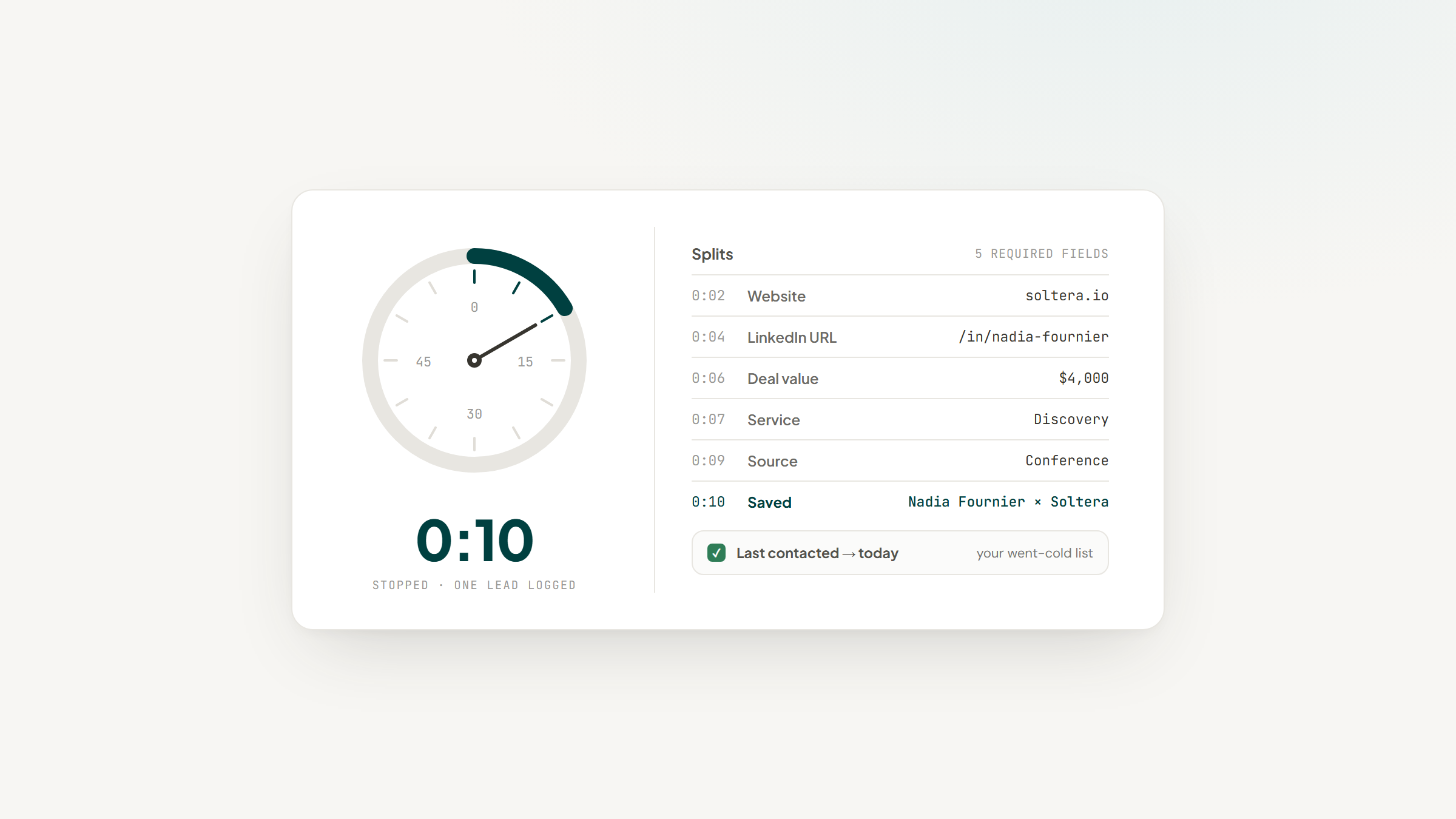
Two things to weigh first. Five fields are compulsory (Website, LinkedIn URL, Deal Value, Service and Source), which fits somebody you looked up afterwards better than a name scribbled at a bar. Everything also arrives in the Lead stage no matter how warm the relationship already is, so repositioning happens after the fact. The setup guide covers granting the integration access, which the extension cannot do for you.
Why it's a good CRM for networking: It makes the dated note and the last-contacted signal free and permanent, which are the two things that decide whether you follow up.
Final verdict: Choose it if you already live in Notion and want the record to outlast whichever app is fashionable. Skip it if you need to scan a badge at a conference, because that is genuinely not something we do. Notion is the CRM here; we are the capture layer.
CTA: Download free and point it at your database.
Covve

Overview: The most networking-native tool on this list. Its homepage leads with "Your Network. Actually Working." and it is built around capture at events: business cards, event badges and digital profiles, scanned and pushed into your CRM.
Key features:
- Card and event-badge scanning as the core function rather than an add-on
- Automatic sync of scanned contacts through to your CRM
- Reminders and notes attached to individual relationships
Pricing: The Covve App is $12 per seat per month, billed at $119 a year. App & Portal is $20 per seat per month, or $199 a year.
Pros: best-in-class scanning, genuinely built for events, works offline at a venue
Cons: per-seat pricing, the portal tier is a real step up in cost, less useful between events
Why it's a good pick: When the networking happens in rooms rather than inboxes, scanning is effectively the entire product, and nothing else here matches it.
Dex

Overview: Starts from the premise that storing a contact was never the difficulty; remembering to contact them again is. Your LinkedIn connections flow in automatically, interactions stack up on a timeline, and the app prods you once somebody has drifted.
Key features:
- Reminder cadences attached to a human being instead of to an opportunity
- LinkedIn connection sync that populates records without typing
- One chronological view combining what you emailed, what you saw on LinkedIn, and what you wrote down
Pricing: Paying yearly brings Premium to $12 monthly and Professional to $20, roughly 40% under the month-to-month rate, and the 7-day trial needs no payment details. The ceiling on synced connections is what actually divides the tiers: 2,500 against 9,000.
Pros: inexpensive, excellent reminder design, very little maintenance
Cons: tier-based connection caps, no event capture, built for one person rather than a team
Why it's a good pick: Reconnection prompts are the feature most people actually need and most tools treat as an afterthought.
HeyDrop

Overview: A digital business card paired with lead capture and CRM sync. You share a card at an event, scan theirs with the AI contact scanner, and the connection lands somewhere useful instead of in a pocket.
Key features:
- Shareable digital business card, so the exchange works even when they have no card
- AI contact scanner for turning paper cards into records
- Sync out to a CRM rather than trapping contacts in the app
Pricing: Free forever at $0 with one basic card. Paid tiers run $3.75 a month billed annually, which includes 100 AI contact scans a month, and $9.99 a month above that.
Pros: very cheap, designed for the moment of meeting, free tier is real
Cons: a capture tool rather than a CRM, thin on long-term relationship history, small vendor
Why it's a good pick: The failure it targets is narrow and common, namely a good conversation ending without a dependable way to reach the person again.
Intriq

Overview: Positions itself as a second brain for relationships, with the tagline "Never forget what people tell you." You capture a note and it becomes a profile, a timeline and a briefing before your next conversation.
Key features:
- Notes converted automatically into structured profiles
- Briefings that resurface what you know before you meet someone again
- Semantic search across everything you have recorded on a paid tier
Pricing: Free forever at $0, including 30 AI extractions a month. Plus is $12.99 a month, or $8.33 a month billed yearly at $99.99, a 36% saving.
Pros: genuinely useful free tier, strong note-to-profile extraction, briefings before meetings
Cons: monthly AI extraction cap on free, mobile-first so desktop use is secondary, a young product
Why it's a good pick: It targets recall rather than organization, which is the thing that actually fails between one meeting and the next.
ContactsPlus

Overview: Less a CRM than a contact hygiene layer. It syncs, deduplicates, enriches and backs up your contacts across every account you own, which matters once the same person exists three times in two address books.
Key features:
- Deduplication across accounts, which is the problem it exists to solve
- Enrichment that fills in missing company and role details
- Backup, so a phone change does not cost you a decade of contacts
Pricing: Free at $0 for a single account with basic contact management. Premium is $9.99 per user per month billed annually, or $13.99 monthly. Teams is $12.99 per user per month annually, or $17.99 monthly.
Pros: solves duplicates properly, cheap, useful alongside another tool
Cons: stores details rather than relationship context, limited reminder features, not built for events
Why it's a good pick: If your problem is that your contact list is a mess rather than that you forget people, this is the tool that actually addresses it.
OnePageCRM

Overview: A sales CRM built around a Next Action model: every contact carries one defined next step, and the interface pushes you through them. That structure translates unusually well to networking, where the failure mode is having no defined next step at all.
Key features:
- Next Action model that forces a decision about each person
- Action Stream view that queues follow-ups by date
- Mobile app with a business-card scanner built in
Pricing: Professional is $9.95, Business $19.95 and Max $29.95 per user per month billed annually. Monthly billing runs $15, $29 and $45. Annual plans include four months free.
Pros: the follow-up model genuinely works, card scanner included, cheap entry tier
Cons: sales structure you may not want, no free plan, more setup than a personal CRM
Why it's a good pick: No other entry here insists that every contact carry a defined next step, and an undefined next step is precisely how these relationships lapse.
BIGContacts

Overview: A ProProfs product whose homepage leads with "AI CRM, Email & Contact Management Software That Grows Sales" rather than with networking. It earns a place here on its free tier, which is unusually generous for a full contact manager.
Key features:
- Free account for a single user with premium features included
- Email tracking and task reminders against each contact
- Calendar and activity history on a contact record
Pricing: Free forever for one user up to 100 contacts. Paid pricing is quoted per 1,000 contacts, listed at $19.99 a month with a promotional rate of $9.99 running to 21 August 2026, or $119.88 billed annually. Quote both figures rather than the promotional one alone.
Pros: real free tier, contact-based rather than seat-based pricing, straightforward
Cons: general sales CRM positioning, 100-contact free ceiling, promotional pricing that will move
Why it's a good pick: For someone tracking a modest network who refuses to pay anything, the free tier does more than most.
Nat

Overview: A deliberately opinionated personal CRM for relationship building, aimed at people who treat networking as a practice rather than a task. It publishes a networking-specific page, which few tools here bother to do.
Key features:
- Reconnect prompts built around relationship cadence
- Interaction tracking that shows who you are neglecting
- A pared-back interface that resists becoming a sales tool
Pricing: One plan, "Magic", at $370 a year with a 10-day free trial. Billing is annual only, and refunds are pro-rated rather than full.
Pros: focused product, strong reconnection design, no feature bloat
Cons: the most expensive option here, annual commitment with no monthly plan, does not sync WhatsApp or SMS
Why it's a good pick: The price only reconciles for someone whose network genuinely is the business and who opens the app every week.
How We Chose These Networking Tools
The filter that did the most work was insisting these be networking tools rather than sales CRMs wearing a different label.
That cut a long list of capable products whose entire design assumes a deal. It also meant deliberately overlapping with our own personal CRM roundup on only three tools, because the two categories genuinely share ground and repeating a list helps nobody.
Every price came off the vendor's own page rather than a comparison article, which caught a promotional rate on one tool that expires two days after publication. Every homepage was captured and then opened by eye, which is how two entries ended up carrying a note about what the vendor actually leads with.
One well-known option had to be dropped outright: it blocks our screenshot service at the host, and shipping an entry with no verified image is worse than leaving it out. Lead to Notion is held to the same standard, which is why its missing card scanner sits in the comparison table rather than only in the prose.
What to Look For in a Networking CRM
Four things separate a tool you will still be using next year from one you abandon after a conference.
Capture speed comes first, and it is not close. If logging someone takes longer than the walk to the next room, you will not do it, and a CRM with no records in it is worse than a notebook. Count the taps between meeting someone and having a saved record with a note attached.
Reconnection prompts come second. Storing a contact is easy; being reminded of them at the right moment is the entire value. Ask whether the tool nudges you by cadence, by last contact date, or not at all.
Export rights come third. The network itself is what has value, so a product that makes departure costly is exercising a hold on you unrelated to how good it is. Confirm you can pull a clean file out before committing five years of notes to it.
Scanning comes fourth, and only if you actually attend events. It is the most expensive capability in this category and completely useless to someone who networks online, so be honest about which one you are. For anyone whose contacts arrive by email instead, the routes into a database matter more than any scanner.
How Much Does a Networking CRM Cost?
The spread is wide for what is broadly one job, and the bands sort cleanly.
Monthly cost | What sits here | What you give up |
|---|---|---|
$0 | A Notion database, plus the free tiers of Intriq, HeyDrop, ContactsPlus and BIGContacts | Scanning, or you assemble it yourself |
$4 to $13 | Personal CRMs and capture tools at their entry tiers | Team features, deep enrichment |
$13 to $20 | Event-capture tools and follow-up CRMs with scanners | Little, unless you need multiple seats |
$30 and up | Nat's annual-only plan, and any multi-seat setup | Nothing, beyond the money |
The pattern worth noticing is that paying more buys scanning and seats rather than better recall. The reminder features that decide whether networking works are available at every band including free.
Teams pricing this against a general work platform should include the workspace itself in the sum, since board-based tools charge per member before any CRM function is switched on.
What People Actually Ask For
A post in r/CRM asking for a CRM for personal networking use describes the requirement more precisely than most vendor pages manage. The author networks locally and nationally, mostly at industry conferences, and says plainly that they generally have nothing to sell.
What they wanted was an easy way to track the people they meet, record business cards, categorize them, add notes and set a reminder to reach out later, without the sales processes and complications most CRMs bring. That is the specification for this entire category, written by someone who needed it.
The replies are worth reading with some caution, and they show why. One recommends UpHabit, which shut its personal CRM apps down in April 2026, and another suggests a general CRM's free edition. The thread is anecdotal and small, but the original request has aged better than the advice, which is a reasonable argument for checking any recommendation against the vendor's live site before you adopt it.
Picking One and Actually Using It
Match the tool to where your networking physically happens, because that is the only variable that reliably predicts which of these you will keep.
If you meet people in rooms, buy scanning: Covve if it is constant, HeyDrop if it is occasional and you want it cheap. If you meet people online, buy reminders instead: Dex for breadth, Intriq for recall, Nat if the practice justifies the price. If your problem is a duplicated, decaying contact list rather than forgetting people, ContactsPlus fixes that specific thing. If every contact needs a defined next step, OnePageCRM enforces it better than anything else here.
Whichever you pick, set one rule and keep it: log the person before you leave the building. Every tool on this list works if you do that and none of them work if you do not. Automating what happens afterwards is a separate problem, and Notion's own scheduled automations handle the reminder side once the record exists.
If you would rather the record lived in a database you own outright, that is what we built. Download free, connect your Notion database, and every note you add carries its own date.
Frequently asked questions
It depends on where you meet people. Covve leads if you collect cards and badges at events, Dex is strongest at prompting you to reconnect with an online network, and pairing Notion with our extension costs nothing while leaving the records under your control. There is no single winner, because event capture and reconnection are different problems.
Turn Notion into your CRM
Lead to Notion is a free Chrome extension. Save leads to your Notion database in one click, add notes, and track your pipeline. No account, no server.